











ZGF Architects
PDX Reimagined: How a Digital Backbone Powered America’s Most Ambitious Airport Project
A new way to supercharge Revu with AI.
The Complete Guide to Construction Takeoffs in 2026
Bluebeam helps construction teams keep submittals organized and moving through review, without losing time to email threads or disconnected spreadsheets.



“If we didn’t have access to Bluebeam, I think we would have been completely stalled for weeks. The projects would have been delayed for months.”
Yolanda Palomo
Process Review Coordinator, City of Las Vegas





Bluebeam gives each role the view and the record they actually need.
Handle high-volume submittal logs with defined reviewer sequences and organized data that moves cleanly from submission to closeout.
Compile submittal packages by trade or spec section directly from project drawings
Route each package through a standardized, multi-reviewer sequence
Track approval status and export logs for faster reporting and review

Bluebeam’s submittal management tools offer clear advantages for GCs and project engineers on commercial jobs:

Organization: Structure submittals by trade or spec section in a single digital log.
Efficiency: Route submittals through a defined reviewer sequence and apply consistent stamps in one workflow.
Collaboration: Share submittal packages and review status with the design team or owner in real time.
Visibility: Track hundreds of items at once, from submitted to approved or rejected.
Traceability: Keep every approved submittal linked to the drawing sheet it affects.
City of Las Vegas eliminated printing costs across 15,000+ annual submittal reviews using Bluebeam.
Turner Construction used Bluebeam to digitize submittals and saved 73% on paper costs.
Civil engineering firm Márkus Engineering used Bluebeam to accelerate design and submittal reviews.

Capture the exact region of a drawing or spec that a submittal impacts and drop it into the review package for instant visual context.

Track every submittal in a structured list with filters, status columns, and exportable PDF, CSV, or XML logs for owners and design teams.

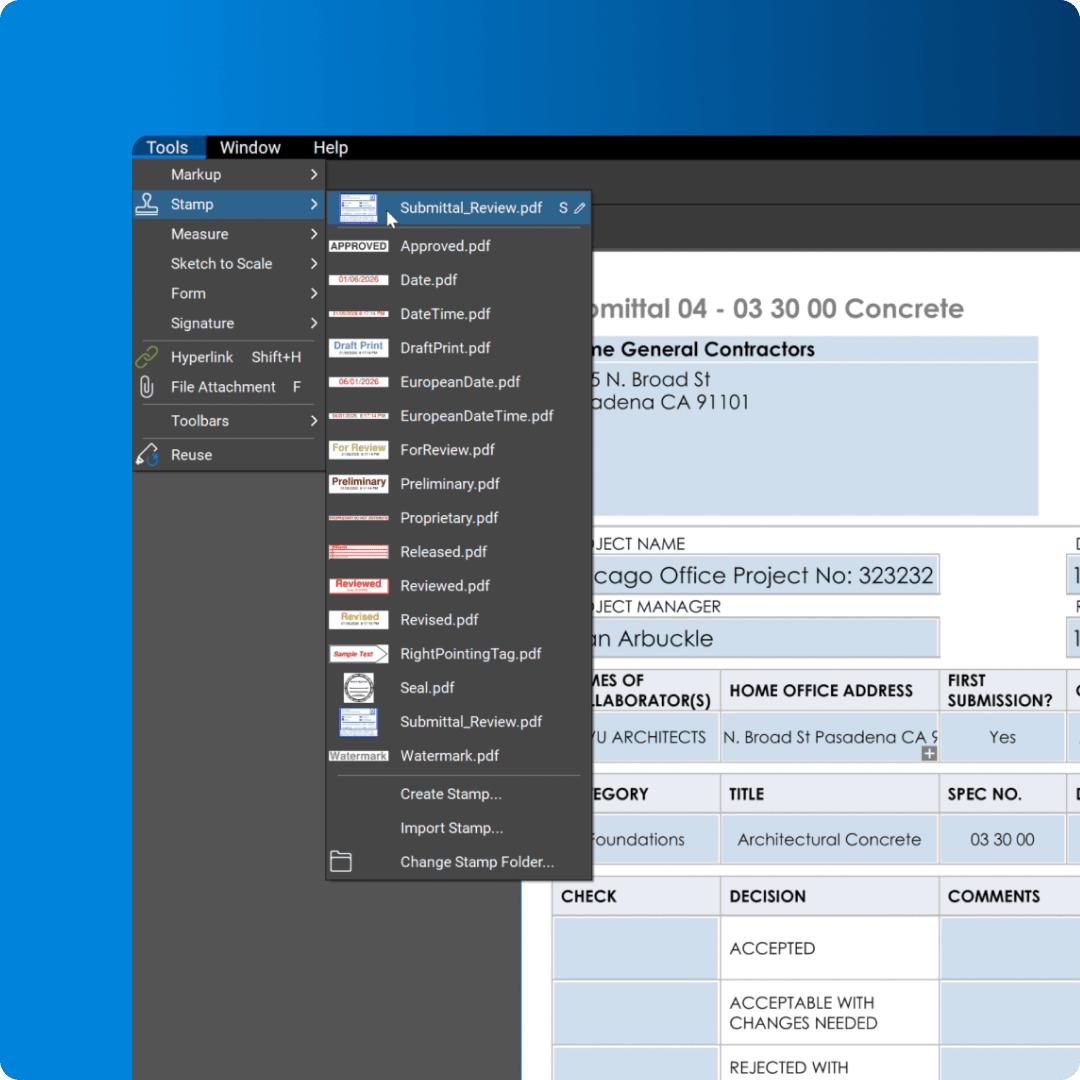
Apply “Approved,” “Approved as Noted,” “Revise and Resubmit,” and “Rejected” stamps consistently so submittal status is clear at a glance.

Invite reviewers in the office or the field to comment, stamp, and sign off on submittals together in real time, on the same documents.

Jump from a submittal directly to the referenced sheet, detail, or spec section in a single click, so reviewers always see full context.

Automatically link an entire drawing set so teams can move from a submittal to any related sheet or detail without manual navigation.

Use clouds, callouts, and dimensions to clarify changes on shop drawings and product data, keeping review comments precise and easy to follow.

Save and share standardized submittal markups and stamp sets so every reviewer follows the same process across projects.

Use AI to scan drawings and specs for clashes and gaps before they turn into submittals and RFIs, so fewer issues reach the field.

Compare specs, submittals, and vendor quotes with AI-generated highlights that call out what changed and where it matters.
Bluebeam offers easy-to-use review and stamping tools for keeping submittals moving on schedule. Here’s how to get started.
Organize your documents by trade or spec section and compile them into a structured submittal log. Bluebeam lets you group related items together so reviewers can move through a package without hunting for individual files.
Send the package through the required reviewer sequence and monitor its progress in the Markups List. You can sort, filter, and search for specific submittals, and use the Markups List to summarize status across the entire log.
Apply the appropriate approval stamp directly on the document, then export a submittal log or status report to keep the project record current. This creates an audit-ready history you can reference without digging through email threads.
Integrations
Whether you’re using one of our ready-to-use integrations or building your own with Bluebeam Studio APIs, you can connect the applications you rely on for smoother workflows that keep projects moving.

Resources