







CONSTRUCTION SOFTWARE FOR ESTIMATORS

Count faster. Bid smarter. Win more.

Inaccurate estimates lose bids and kill margins. Bluebeam gives estimators the precision and speed to quantify projects right and price them to win.

Try It Free


Woman looks at tablet with decorative markups behind

Trusted by thousands of estimators worldwide

Bluebeam customer CannonDesign logo Bluebeam customer HKS logo Bluebeam customer Rapt Studio logo Bluebeam customer Perkins & Will logo Bluebeam customer Rossetti logo Bluebeam customer CannonDesign logo Bluebeam customer HKS logo Bluebeam customer Rapt Studio logo Bluebeam customer Perkins & Will logo Bluebeam customer Rossetti logo Bluebeam customer CannonDesign logo Bluebeam customer HKS logo Bluebeam customer Rapt Studio logo Bluebeam customer Perkins & Will logo Bluebeam customer Rossetti logo
Two construction workers look at tablet together

Every quantity, captured right the first time

Built for estimators running digital takeoffs on complex drawing sets. Measure, count, and organize quantities directly from your PDFs, then push bid-ready data to Excel.

  • Measure length, polylength, perimeter, area, volume, depth, radius, wall area, angle, arc, and count directly on PDFs
  • Add custom columns to track material type, price, and assembly data alongside each measurement
  • Use Dynamic Fill to calculate perimeter, area, and volume all at once with a single click
  • Save and share measurement tool sets so your whole estimating team works the same way
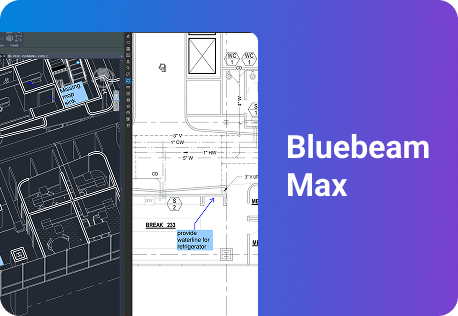
  • Connect Revu to AI to query markup data with natural-language prompts Max
Office workers look at Bluebeam on desktop together

Drawings change. Your counts keep up.

Keeps your quantities current and your data moving — from PDF to Excel to bid package — without starting over every time the drawings change.

  • Use Quantity Link to connect PDFs directly to Excel so measurements update in real time, with no manual re-entry
  • Seamlessly update quantities when drawing revisions come in
  • Build audit-ready quantity reports for bid submission in PDF, CSV, or XML
  • Instantly duplicate, offset, or convert takeoff markups with CAD-level precision using Magic Markups in Bluebeam Max Max
  • Use AI-powered Smart Review in Bluebeam Max to scan for scope gaps and design discrepancies Max
Office workers look at Bluebeam on desktop together
Office professional on laptop

Standardize every takeoff, track every change

Disconnected spreadsheets mean missed quantities and blown bids. Bluebeam keeps estimating markups organized and traceable across every sheet and trade.

  • Standardize markup symbols, colors, and tool sets so every estimator follows the same process
  • Track every measurement in the Markups List with author, date, subject, and quantity data for a clean audit trail
  • Filter and sort by trade, scope, or phase to isolate quantities without digging through a spreadsheet
  • Export quantity summaries to Excel, PDF, or CSV to feed your bidding tools
  • Create auto-updating Legends on your drawings for at-a-glance quantity visibility
Three construction workers look at tablet together

Collaborate with stakeholders in real time

When scope confirmations and design changes come through email, bids slow down. Bluebeam keeps your team on the same drawings in real time, from the office or the field.

  • Invite project managers, superintendents, or trade partners to review and mark up drawings together in real time
  • Share drawing sets with owners, GCs, or trade partners for review without losing version control
  • Capture scope clarifications, RFI responses, and addenda notes directly on drawings so no context gets lost
  • Track who added which markup and when for clear accountability across the estimating process
  • Use Bluebeam on web and mobile so field teams can confirm quantities without being at a desk
Three construction workers look at tablet together

“Bluebeam makes it easier to do takeoffs so you can concentrate on the more difficult aspects of the project.”

Niall O’Connor
Building Estimator, Forcia Limited

Forcia logo

RESOURCES

Bluebeam resources for estimators

Discover the Bluebeam difference for estimation

See how unifying drawings, markups, and measurements accelerates estimating, improves accuracy, and keeps projects on track. Bluebeam customers experience:

3x

more bids

Solid Earth civil contractors tripled their bid submission capabilities using Bluebeam.

Read the full story

5x

faster estimations

Civil engineering firm Márkus Engineering used Revu to exponentially increase takeoff speed and accuracy.

View the results

50%

more projects won

Specialist engineering contractor ClearTech won 50% more projects after digitizing estimations with Bluebeam.

See how they did it

5 ways Bluebeam simplifies construction estimation

Bluebeam’s highly-rated digital takeoff and estimating software tools offer powerful advantages for estimators, contractors and PMs:

A woman in a green safety vest reviews architectural plans on a tablet using construction management software, with paper blueprints spread out on the table in front of her.
  1. Precision: Measure length, area, volume, count, and more directly on PDF drawings with scale-calibrated tools built for every specialty trade

  2. Speed: Automate repetitive counts with VisualSearch and use Dynamic Fill to calculate area, perimeter, and volume in a single click

  3. Live data: Quantity Link keeps your Excel estimates current in real time — no re-entry when drawings are revised

  4. Consistency: Standardize tool sets, custom columns, and markup workflows across your estimating team so every takeoff follows the same process

  5. Auditability: Every measurement is tracked in the Markups List with author, date, and quantity data, so your numbers are always defensible

Integrations

Connect Bluebeam to your favorite tools.

Whether you’re using one of our ready-to-use integrations or building your own with Bluebeam Studio APIs, you can connect the applications you rely on for smoother workflows that keep projects moving.

Logos of Applications that integrate with Bluebeam Logos of Applications that integrate with Bluebeam

Explore Apps and Integrations

Frequently asked questions

What’s the best construction estimating software for bids and digital takeoffs?

How does Bluebeam compare to estimating software like PlanSwift, STACK or ProEst?

Is Bluebeam accurate enough for construction estimating, and will estimators keep using it after onboarding?

Is Bluebeam a good estimating solution for concrete, masonry and other specialty trades?

How does Bluebeam help estimators count faster and reduce errors on complex drawing sets?

Can Bluebeam connect takeoff quantities to Excel or my existing estimating and accounting tools?

Does Bluebeam support cloud‑based estimating workflows and multiple estimators working on the same takeoff?

What kind of measurements can I perform with Bluebeam?

Discover what Bluebeam can do for you.