


ZGF Architects
PDX Reimagined: How a Digital Backbone Powered America’s Most Ambitious Airport Project
A new way to supercharge Revu with AI.

The Complete Guide to Construction Takeoffs in 2026


Construction Punch Lists: The Complete Guide for 2026
A field guide to punch lists: what belongs on one, how to run the walk, how to write items a crew can fix the first time and what to look for in punch list software.

The punch walk decides how fast a job closes. Every item on the list is a trip back for somebody: a trade that already demobilized, a superintendent chasing photos, an owner holding retainage until the last item closes.
This guide is for the people who run punch — superintendents, project managers, foremen and the trades who fix the items. It also shows how to run the whole process in Bluebeam, on the same drawing set your team has worked from since design review.
What is a punch list in construction?
A punch list in construction is a list of work that is incomplete, damaged or doesn’t conform to the contract drawings and specifications, created as a project nears substantial completion. The general contractor and its subcontractors must correct every item before the owner accepts the work and releases final payment.
Who writes it: the contractor, not the architect. Under AIA A201-2017, the most widely used general conditions in U.S. commercial construction, the contractor submits a comprehensive list of items to be completed or corrected when it considers the work substantially complete. The architect then walks the job and adds anything you missed; you’re on the hook for those items too, whether or not they made your list.
When it happens: at substantial completion, when the owner can occupy or use the space. The list stays open until final completion, when every item is closed and final payment and remaining retainage are released.
What it’s called: punch list in the U.S., snag list in the U.K. and defects list in Australia. Deficiency list and punch-out list mean the same thing.
What doesn’t belong on it: anything that isn’t a correction to contracted work. A design question is an RFI. Something the owner wants that isn’t in the drawings is a change order — price it, don’t punch it. Letting either onto the list slows closeout for everyone.
Why does punch list management matter?

It’s your money. Owners typically hold back retainage until the work is done. On federal fixed-price jobs, FAR 52.232-5 allows up to 10% retainage when progress is unsatisfactory and requires release of withheld funds once work is substantially complete. Many states cap retainage at 5%, including New York on private projects and California on private contracts signed on or after Jan. 1, 2026. On a $10 million job, 5% to 10% is $500,000 to $1 million sitting with the owner until the last item closes.
It’s your schedule. Every open item is a callback. Crews have moved to the next job, and bringing them back costs time and goodwill on both sides.
Most rework traces back to communication. In a 2018 study, FMI and PlanGrid found that miscommunication and poor project data cause 48% of rework on U.S. jobsites. On punch, that looks like a paper list, photos stuck on one person’s phone and a spreadsheet emailed to 15 subs with no agreement on which version is current. Fix that, and the list moves: DES Architects + Engineers cut the time to create and distribute punch lists by 50% to 65% after moving its punch walks into Bluebeam, and Turner saved 84,780 pages of paper on a project where it tracked issues and created punch lists in Bluebeam.
How does the punch list process work?
The sequence follows the AIA A201 closeout process and works the same on a tenant fit-out or a hospital:
- Set the standard. Agree on symbols, statuses and who can close an item before anyone walks.
- Self-punch. The general contractor and its trades walk the work, pin each item to its spot on the drawings with a photo and submit the list at substantial completion.
- Inspect. The architect and owner’s rep walk the job and add what they find.
- Assign. Every item gets a responsible trade and a due date.
- Correct. The trade fixes the item and updates its status with an after photo.
- Backcheck. The superintendent or architect verifies the fix, then closes or reopens the item.
- Close out. The owner accepts the work, final payment and retainage are released, and the closed list goes into the closeout package.
Don’t wait for the final walk. Run a rolling punch list: Punch each floor or area as its trades finish, while crews are still on site. The final walk gets shorter, and fewer trades have to come back.
How do you write a punch item a crew can fix the first time?

A good punch item sends the right crew to the problem and gets it fixed in one visit. Every item needs five things:
- Exact location: floor, room, wall or gridline, pinned on the drawing.
- What’s wrong: the specific defect, with a size or measurement when it matters.
- What done looks like: the fix you’ll accept at backcheck.
- Who owns it: the responsible trade or company.
- A photo: one wide shot to show where, one close-up to show what.
| Vague item | Item a crew can fix |
|---|---|
| Fix drywall | Room 214, north wall, right of the door: 6-inch crack at the tape joint. Retape, finish and paint to match. Owner: drywall. |
| Touch up paint | Corridor 3B, east wall between Rooms 305 and 307: cart scuffs about 3 feet above the floor. Repaint wall corner to corner. Owner: painting. |
| Door issue | Room 118, Door 118A: latch doesn’t catch and the door drifts open. Adjust strike and closer; door must latch when released from 90 degrees. Owner: doors and hardware. |
| Ceiling tile | Room 402, near grid D-5: cracked ceiling tile next to the diffuser. Replace to match. Owner: acoustical ceilings. |
Keep it to one issue per item, so each one closes cleanly. Skip “etc.” and “various locations” — if a problem repeats in five rooms, that’s five items.
Punch walk checklist: before, during and after

Before the walk
- Confirm everyone is on the current drawing set and open it on your device so it’s available offline.
- Load your standard punch symbols and statuses so every item looks the same.
- Set up rooms or areas on the drawings so items sort by location.
- Confirm who’s attending the walk.
- Invite the owner’s rep, architect and trades to the shared set.
- Charge your tablet and bring a backup battery.
During the walk
- Walk a fixed route: floor by floor, room by room, same direction every time.
- Drop one markup per issue on the exact spot.
- Take a photo of every item.
- Assign the trade before you leave the room.
- Pull anything that’s really a change order or RFI off the list and route it where it belongs.
After the walk
- Send each trade only its items, filtered by trade.
- Set due dates and give the owner a short summary report.
- Backcheck in batches as items come back.
- Close each item with an after photo, or reopen it with a note saying what’s still wrong.
- Export the closed list with photos for the closeout package.
Who’s involved in a punch list?
Large projects can put 10 or more parties on one list. On Sundt’s Aztec Student Union project at San Diego State University, 10 parties — including Sundt, the architect, the construction manager and seven consultants — punched an 800-page plan set.
| Role | Their job on the punch list | Where they work in Bluebeam |
|---|---|---|
| Superintendent / GC | Runs the walk, writes and assigns items, backchecks and closes | Mobile for the walk; Bluebeam Revu for setup and reports |
| Subcontractors / trades | Fix assigned items and update their status | Mobile or web with a free Bluebeam ID; list filtered to their items |
| Architect | Inspects, adds items and backchecks corrections | Revu, on the same set used in design review |
| Owner / owner’s rep | Adds items and accepts the final list before releasing retainage | Shared set on web or mobile; summary report |
| Engineers and commissioning agents | Flag systems that don’t perform as designed | Markups on the same shared set |
| Facility management | Inherits the closed-out record at turnover | The archived, marked-up drawing set and reports |
What features should punch list software have?

Judge punch list software on how it performs on a jobsite. The table below shows what matters in the field and how Bluebeam handles each capability:
| Capability | Why it matters in the field | How Bluebeam does it |
|---|---|---|
| Items on the drawing | Trades find the problem without a second walk | Each item is a markup on the PDF; Spaces tag the room automatically |
| Photos | Nobody has to guess what “fix trim” means | Photo markups; offline photo capture on iOS since the Aug. 25, 2026, release |
| Phone and tablet apps | The list gets built where the problems are | Bluebeam on iPad and iPhone and Android, included in every plan |
| Works without signal | Basements and stairwells rarely have coverage; 35% of contractors call remote-site connectivity a top IT challenge, per AGC and Sage | Previously opened documents work offline and sync when you reconnect |
| Assignment and statuses | Separates “the sub says it’s done” from “it’s verified” | Custom statuses and columns in the Markups List; Alert Attendee pings the responsible party |
| Filter by trade or room | Subs work their list, not everyone’s | Filter the Markups List by trade, room or author |
| Reports | The owner gets proof the work is done | Markup Summary as a PDF or CSV |
| Easy access for subs | If subs can’t get in, they’ll ask for a printout | Free Bluebeam ID for invited collaborators |
Free vs. paid. A free app can handle a short list on a small job, but free tiers usually cap users, projects, sheets or reports. Before you commit, ask three questions: What happens when you invite a dozen subs? Will the owner accept the report? Where does the record live after closeout?
Punch list software comparison: Bluebeam, Procore, Autodesk Forma and Fieldwire
There’s no single best punch list app for every crew, and plenty of teams use more than one. Here’s how the platforms contractors evaluate most handle punch, as of September 2026.
Bluebeam runs punch on the drawings: Each item is a markup on the PDF, tracked in the Markups List and worked in real time through Studio Sessions on desktop, web and mobile. Plans run $260 (Basics), $330 (Core), $440 (Complete) and $590 (Max, introductory) per user per year, and all include Revu for Windows plus Bluebeam on web and mobile. Invited collaborators need only a free Bluebeam ID. Hosting a shared Studio Session requires Core or above.
Bluebeam Max is Bluebeam’s most powerful plan. It includes everything in Complete and lets teams connect Revu to AI tools such as Claude to automate busywork.
Procore is an all-in-one project management platform with a dedicated Punch List tool. It charges an annual fee based on annual construction volume with unlimited users, and punch items can be created offline on mobile.
Autodesk Forma Build is the new name for Autodesk Build since Autodesk Construction Cloud became Autodesk Forma on March 24, 2026. Autodesk has also introduced Forma Build Essentials, a lighter version aimed at small contractors.
Fieldwire by Hilti handles punch as field task management. Its pricing page lists a free Basic plan for up to five users, with paid plans at $39, $64 and $89 per user per month, billed annually.
PlanGrid is no longer sold to new customers; Autodesk folded its capabilities into Forma Build.
| Platform | How punch works | Pricing model | Typically best for |
|---|---|---|---|
| Bluebeam | Markups on the drawing set used since design review | Per user per year; free ID for invited collaborators | Supers, architects and GCs who run punch on the drawings |
| Procore | Punch List tool in an all-in-one PM platform | Annual construction volume; unlimited users | GCs standardized on Procore |
| Autodesk Forma Build | Punch within Autodesk’s construction platform | Per user; Essentials tier for small contractors | Teams in the Autodesk ecosystem |
| Fieldwire | Tasks pinned to plans | Free Basic tier; paid per user per month | Field-first teams and small crews |
Using Bluebeam with Procore or Autodesk Forma. Bluebeam’s U.S. Procore Documents integration saves markups on Procore files back automatically, and the Procore Submittals integration opens Studio Sessions from a Procore submittal. A third-party connector from Arkance moves PDFs between Autodesk Forma and Bluebeam Studio. None of these syncs Bluebeam punch markups into Procore’s Punch List tool or Autodesk’s punch tracking, so pick one system of record for punch. Teams that choose Bluebeam run punch on the drawings and store the finished set and reports in their project management platform.
Punch lists for small crews and subcontractors
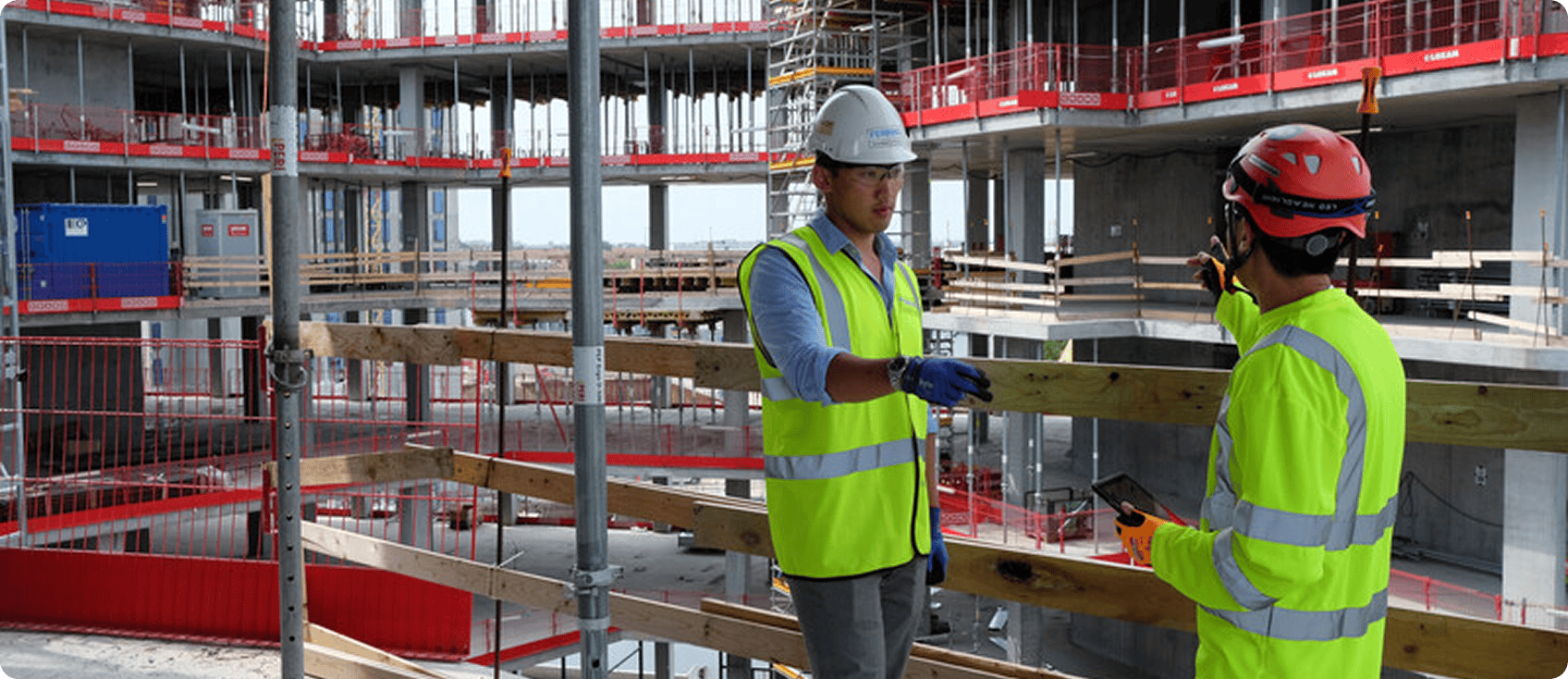
Small crews need a tool that works on a phone, works without signal and can be set up in an afternoon. Bluebeam on mobile keeps documents you’ve already opened available offline, so open the set before you head into the basement. Markups sync to the shared set automatically when you reconnect, and a Pending Updates panel shows anything that hasn’t synced yet. On iOS, the Aug. 25, 2026, release added offline photo capture on markups and Offline Studio Projects.
Subs need to find their items on the drawing and mark them done without learning a new platform or buying a seat. In Bluebeam, anyone with a free Bluebeam ID can join a Studio Session they’re invited to and use the full markup and tool set features inside it. Only the host needs a Core, Complete or Max plan.
How to run a punch list in Bluebeam
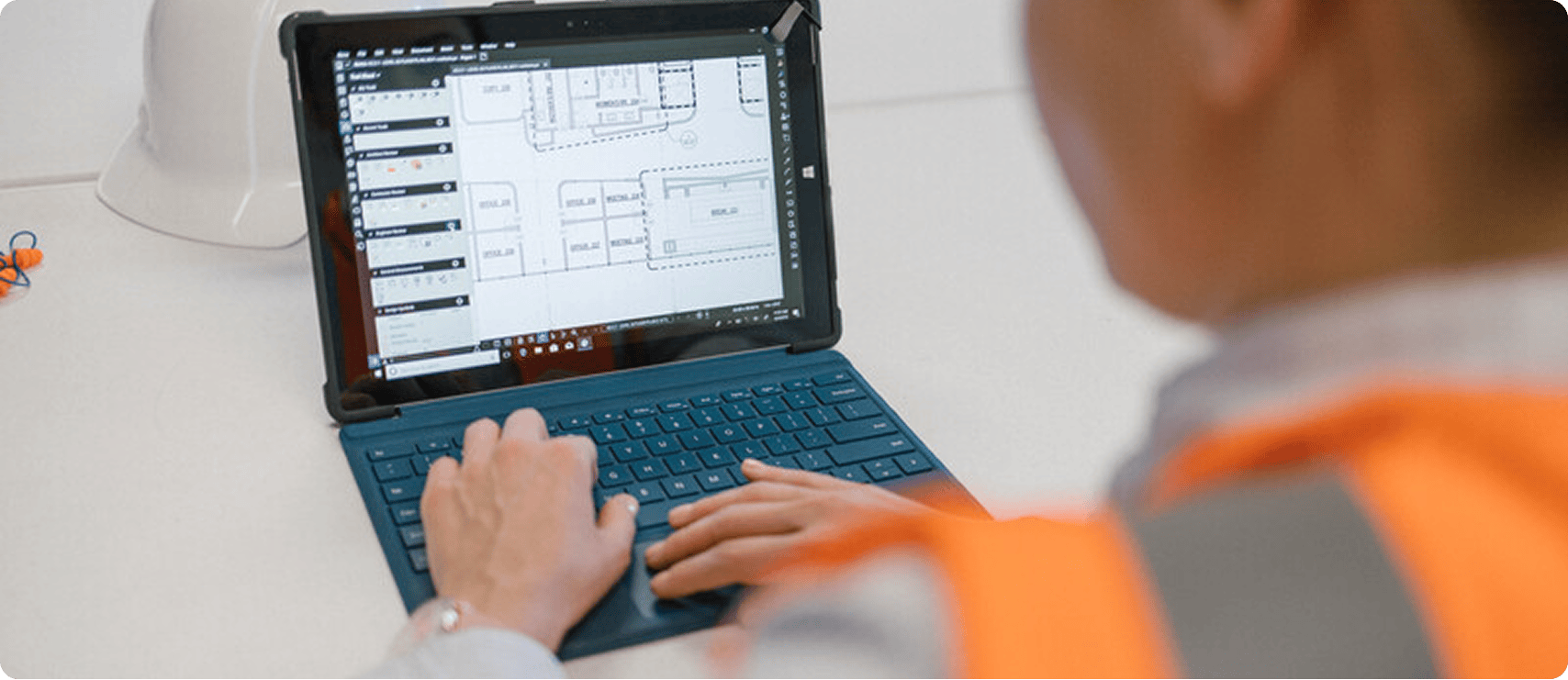
Set up your punch standard once, then reuse it on every job. Here’s the punch workflow in Bluebeam:
- Open the current set in Bluebeam Revu. Punch only works if everyone is on the latest revision; see drawing and document management.
- Build your punch tool set in the Tool Chest: standard symbols and prewritten comments by trade. Share it so every superintendent walks with the same tools.
- Set up the Markups List with custom statuses (for example, Open, In Progress, Ready for Backcheck and Closed) and columns for trade, responsible party and due date.
- Define Spaces for floors, rooms or areas, so every markup picks up its location automatically.
- Start a Studio Session and invite the architect, owner’s rep and trades. Subs need only a free Bluebeam ID.
- Walk the job with Bluebeam on iPad and iPhone or Android. Drop a markup at each issue, attach a photo and add a note, offline if needed.
- Send and track. Trades filter to their items and update status, and Alert Attendee flags items that need attention.
- Backcheck and close. Verify each fix, then close it or reopen it with a note.
- Export the report. Save a Markup Summary as a PDF or CSV for the owner and the closeout package, and save the report settings for the next job.
With Bluebeam Max, teams can connect Revu to AI tools such as Claude and manage markups in plain language. Bluebeam’s MCP documentation includes examples that fit punch cleanup, like finding every markup still marked Open with no comment, or closing all markups on a page that’s been signed off. It runs in Revu for Windows and requires a Max plan.
Frequently asked questions
What is the best construction punch list software?
It depends on where your project records live. Bluebeam is the leading choice for teams that want punch on the same drawings they’ve used since design review; more than 4 million AEC professionals use it, and it’s rated 4.7 on Capterra and 4.6 on G2. Procore suits GCs running project management in Procore, Autodesk Forma Build suits Autodesk-centered teams and Fieldwire suits field-first crews starting on a free tier.
How do you evaluate punch list software before you commit?
Test it on a real walk, not a demo. Load a current drawing set, punch a few rooms on a phone somewhere without signal, and check five things:
- Each item lands on the drawing, pinned to its exact location with a photo.
- Items can be assigned to a trade and tracked through backcheck to closed.
- Capture works offline and syncs cleanly when you reconnect.
- Subs can join and see only their items without buying a seat.
- The report is one the owner will accept for closeout.
Then compare cost based on everyone who needs access, including subs. If your team already reviews drawings in Bluebeam, running punch on the same set saves re-entering items. DES Architects + Engineers cut punch list turnaround by 50% to 65% that way.
What punch list software works best for small construction crews?
Look for phone-first capture, quick setup, offline support and clean reports. Fieldwire offers a free Basic plan for up to five users, and Autodesk offers Forma Build Essentials for small contractors. Bluebeam suits small crews that already use Revu for drawings or takeoffs, with mobile apps that work offline.
Which punch list apps have the best reviews from general contractors?
Check G2, Capterra, Software Advice and TrustRadius, and filter by role and company size. As of September 2026, Bluebeam Revu holds 4.7 on Capterra across 977 reviews and 4.5 on G2. You can use the same filters to compare Procore and Fieldwire.
Who offers affordable punch list software with offline access?
Bluebeam plans start at $260 per user per year, and every plan includes mobile apps that work offline. Fieldwire has a free Basic tier, and Procore prices by annual construction volume with unlimited users. Compare total cost based on how many people, including subs, need access.
Where can I find punch list software subcontractors actually like using?
Subs want to see only their items, pinned to the drawing with a photo, without buying a seat. In Bluebeam, subs can join an invited Studio Session with a free Bluebeam ID, use full markup tools inside it and filter the list to their assignments. Only the host needs a Core, Complete or Max plan.
Is there a free punch list app?
Yes. Fieldwire’s Basic plan is free for up to five users, and generic checklist apps handle simple lists. In Bluebeam, invited collaborators work in Studio Sessions at no cost, and you can test the full workflow with a free trial.
What should every punch list item include?
Five things: the exact location, pinned on the drawing; what’s wrong; what done looks like; the responsible trade; and a photo. Keep one issue per item. “Room 214, north wall: 6-inch crack at tape joint; retape, finish and paint to match; drywall” gets fixed once. “Fix drywall” gets a callback.
Does punch list software work on iPad and Android?
Most does. Bluebeam’s mobile apps are on the App Store and Google Play. They let you open drawings, add markups and photos and update punch status in the field, including offline.
Who prepares the punch list: the contractor or the architect?
The contractor. Under AIA A201-2017, the contractor submits a comprehensive list of items to be completed or corrected when it considers the work substantially complete. The architect then inspects and can add items, which the contractor must also correct.
How is a punch list different from an RFI or submittal?
A punch list covers installed work that needs correcting before closeout. An RFI is a question about the design when drawings are unclear or conflict. A submittal is documentation, such as shop drawings or product data, sent for approval before work is installed. In Bluebeam, all three can live as markups on the same drawing set.
The bottom line
A punch list gets closed fast when every item has an exact location, a photo, an owner and a clear definition of done — and when everyone works from the same set. Run it on paper and spreadsheets and it turns into a chase, with retainage waiting at the end. Run it on the drawings your team has used since design review, and closeout becomes a report instead of a reconstruction.
Buyers rate Bluebeam 4.5 on G2, 4.7 on Capterra (977 reviews) and Software Advice (978 reviews), and 8.9 out of 10 on TrustRadius (429 reviews), as of September 2026. More than 4 million AEC professionals use it.
Start a free trial and run your next punch walk in Bluebeam, see Bluebeam for punch for the full feature set or explore Bluebeam Max.
Table of Contents
- What is a punch list in construction?
- Why does punch list management matter?
- How does the punch list process work?
- How do you write a punch item a crew can fix the first time?
- Punch walk checklist: before, during and after
- Who’s involved in a punch list?
- What features should punch list software have?
- Punch list software comparison: Bluebeam, Procore, Autodesk Forma and Fieldwire
- Punch lists for small crews and subcontractors
- How to run a punch list in Bluebeam
- Frequently asked questions

