






CONSTRUCTION COLLABORATION SOFTWARE

Real-time collaboration software
built for construction

No more version chaos or tools that don’t talk. Bluebeam helps AEC pros mark up, review and close out documents together in real time.

Trusted by over 4 million AEC professionals

Bluebeam customer AECOM logo Bluebeam customer CannonDesign logo Bluebeam customer Skanska logo Bluebeam customer Arup logo Bluebeam customer STRABAG logo Bluebeam customer AECOM logo Bluebeam customer CannonDesign logo Bluebeam customer Skanska logo Bluebeam customer Arup logo Bluebeam customer STRABAG logo Bluebeam customer AECOM logo Bluebeam customer CannonDesign logo Bluebeam customer Skanska logo Bluebeam customer Arup logo Bluebeam customer STRABAG logo

Bring every discipline together

Invite anyone, anywhere, and get every discipline — architects, engineers, GCs, subs and owners — working from the same live document.

Store and manage project documents in the cloud and invite teammates to securely access and edit on the go

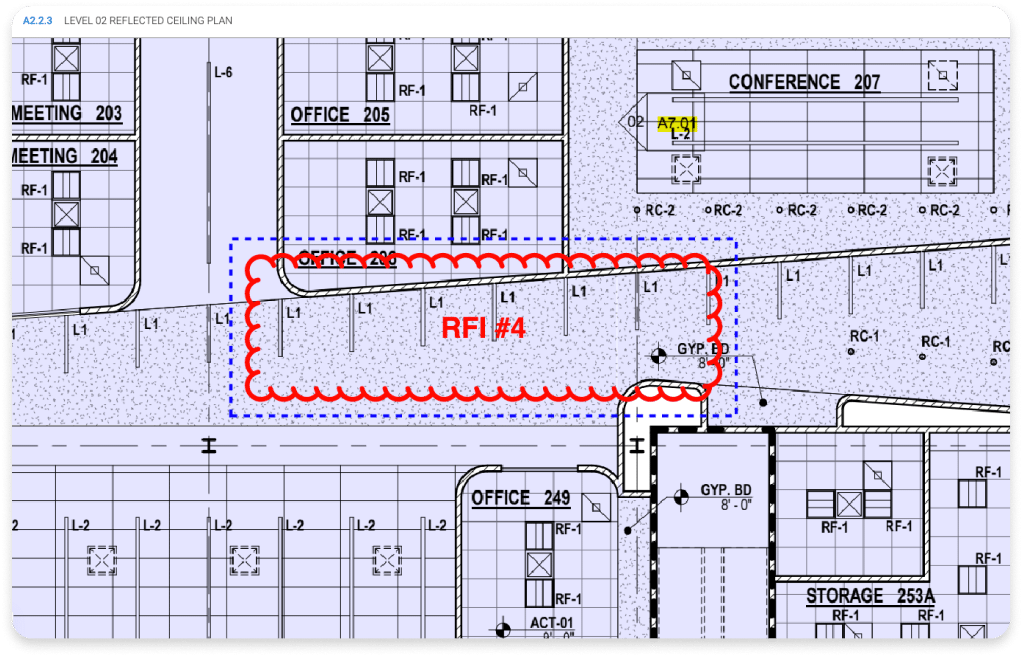
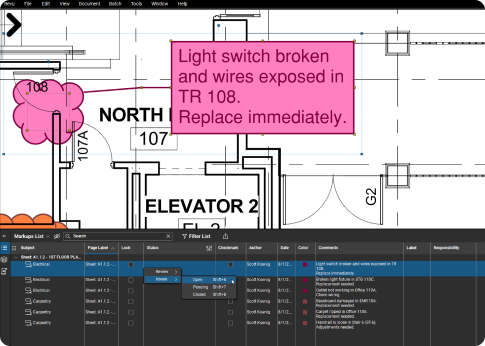
Mark up at the same time together and automatically track all edits and comments

Customize collaboration permissions to ensure the right people have access to the right information

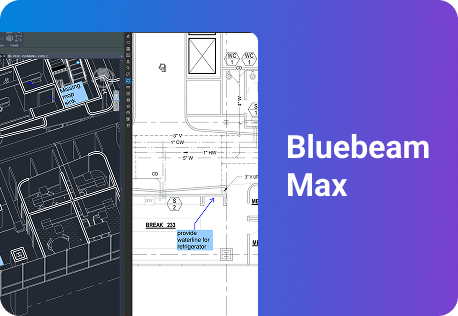
Connect with AI tools so teams can search, compare and act on markups and drawings directly — no manual digging required Max

Markups shown in Bluebeam Revu

Access your work anywhere

Bluebeam it on the go. Your drawings and markups follow you from desktop to web to mobile, powered by Studio — our cloud workspace for storing documents and running live markup sessions.

Pick up right where you left off, with Studio Projects and Sessions syncing automatically across desktop, web and mobile

Keep working without signal, marking up offline on iOS and Android and syncing everything once you’re back online

Control who sees what, setting permission levels for every teammate invited into a Project or Session

Stay connected to the tools you already use by integrating Bluebeam with SharePoint, Box, Dropbox, OneDrive, Egnyte, Procore and more

Smarter collaboration for every role

Architects

Collaborate on design comments and keep review sets in sync.

  1. Capture design markups, RFIs and revisions directly on shared drawings

  2. Coordinate architectural, structural and MEP comments in one markup set so every discipline sees the full picture

  3. Export summaries to document decisions and share context with downstream teams

Two construction workers in professional attire look out at another building under construction

WORKFLOWS

Key Workflows

Drawing & Document Management

Store, manage and organize entire drawing sets.
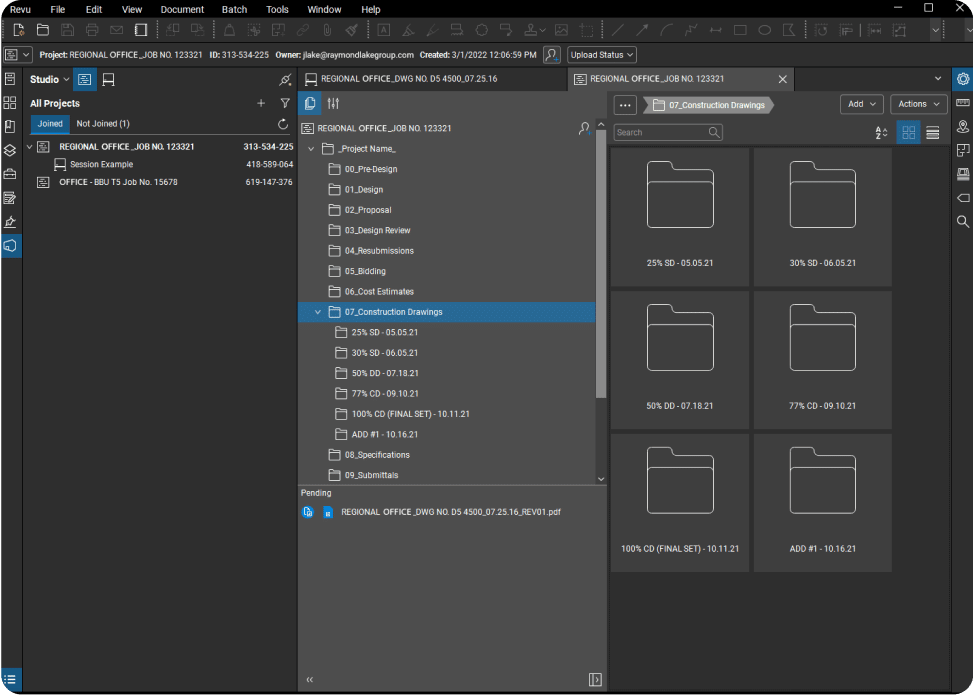
Construction Document & Drawing Management folder file structure Revu software

Design Review & QA/QC

Speed up reviews with real-time digital collaboration.
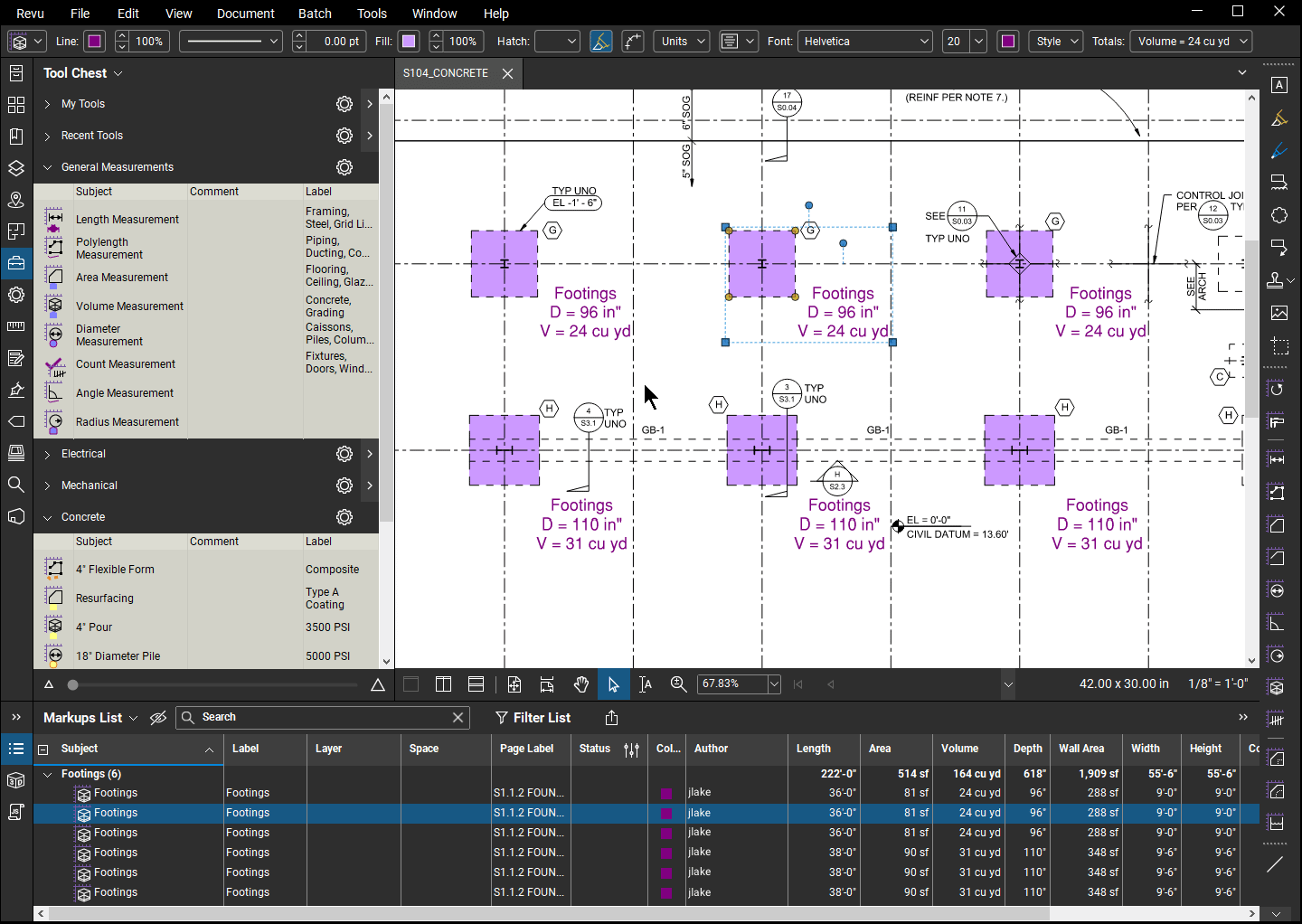
Takeoffs and estimation workflow in Bluebeam Revu construction software

RFIs & Submittals

Quickly post RFIs to drawings and share across devices.

RFI in Studio on Bluebeam Cloud

Punch

Capture, assign, track and close punch items on the go.

Punch on construction drawing with metadata on software interface
Construction Document & Drawing Management folder file structure Revu software Takeoffs and estimation workflow in Bluebeam Revu construction software RFI in Studio on Bluebeam Cloud Punch on construction drawing with metadata on software interface

“It’s taken a stunning amount of time out of our QA/QC process.”

Matt Forman
CannonDesign

Bluebeam customer CannonDesign logo

5 ways Bluebeam simplifies construction collaboration

Bluebeam makes complex, multi‑team construction collaboration easier to coordinate and control, helping architects, engineers and contractors move projects faster with fewer errors.

An office worker points something out on colleague's laptop
  1. Alignment: Keep every team working from the same construction documents with Bluebeam Studio Projects and Sessions, reducing version chaos and disconnected email threads.

  2. Access: Collaborate on drawings from the office or field using Bluebeam on web and mobile, so markups and reviews continue on desktop, browser, iOS and Android without extra file handling.

  3. Accountability: Track every markup, comment and decision in the Markups List and Studio Session Record, making responsibilities and status clear across disciplines.

  4. Flexibility: Run real‑time or asynchronous reviews in Studio Sessions so architects, engineers, GCs, subs and owners can participate on their schedule without passing PDFs around.

  5. Intelligence: Use AI in Bluebeam Max to summarize RFIs and field reports, compare drawings and surface potential design issues, so teams focus on resolving problems instead of hunting for them.

Discover the Bluebeam difference for markups

Bluebeam empowers teams to collaborate more efficiently, profitably, and securely.

60%

faster reviews

Arup used industry-standard markup tools to cut design review times by as much as 60% while maintaining quality.

Read the full story

50%

time savings

Márkus Engineering used Bluebeam’s integration with Archicad to standardize communication with architects.

View the results

100k

comments streamlined

Bluebeam helped AECOM manage 100,000 comments across 400 collaborators during design review.

See how they did it

HOW-TO

How to start collaborating with Bluebeam

Bluebeam makes it easy to bring every discipline onto the same document. Here’s how to get started.

1. Create a Studio Session

Studio is Bluebeam’s real-time collaboration environment. To create a Studio Session, navigate to the Studio tab, select “Add > New Session.” Then name the session, add PDFs, set collaborator permissions, and click “OK” to create and upload files.

2. Invite collaborators

You can invite teammates and stakeholders to participate in a Studio Session — even if they don’t have Bluebeam. Go to your Session or Project, select “Invite.” Then type or paste their emails. You can customize messages, individual permissions, and more.

3. Mark up and measure together

Studio Sessions lets collaborators add markups to the same PDF document together in real time. All markup activity is tracked in the Record that conveniently links back to the Session PDFs, and a built-in chat feature aids communication.

Try It Today

Integrations

Connect Bluebeam to your favorite tools.

Whether you’re using one of our ready-to-use integrations or building your own with Bluebeam Studio APIs, you can connect the applications you rely on for smoother workflows that keep projects moving.


Logos of Applications that integrate with Bluebeam Logos of Applications that integrate with Bluebeam

Explore Apps & Integrations

Frequently Asked Questions

What is construction collaboration software?

What are the benefits of construction collaboration?

What are the key features of construction collaboration software?

How do you collaborate with other contractors digitally?

How can construction collaboration software improve productivity for construction projects?

How does Bluebeam enable real-time collaboration on construction projects?

Which construction software offers real-time collaboration and cost tracking?

Which platforms work best for collaborative PDF markups in construction?

What tools help streamline document sharing and on-site communication?

How is AI changing construction collaboration software?

Collaborate on construction projects from anywhere with Bluebeam