

General Contractor Software

Keep outdated plans off the jobsite

Bluebeam’s construction document and collaboration software helps general contractors keep drawings current and prevent costly rework.

Try It Free View Our Plans
smiling male general contractor wearing a hardhat and vest using a tablet

Trusted by over 4 million AEC professionals

Bluebeam customer AECOM logo Bluebeam customer CannonDesign logo Bluebeam customer Skanska logo Bluebeam customer Arup logo Bluebeam customer STRABAG logo Bluebeam customer Perkins & Will logo The image displays the word ROSSETTI in bold, black uppercase letters on a light gray background, evoking the precision and reliability often associated with top-tier construction management software. Bluebeam customer Turner logo Bluebeam customer AECOM logo Bluebeam customer CannonDesign logo Bluebeam customer Skanska logo Bluebeam customer Arup logo Bluebeam customer STRABAG logo Bluebeam customer Perkins & Will logo The image displays the word ROSSETTI in bold, black uppercase letters on a light gray background, evoking the precision and reliability often associated with top-tier construction management software. Bluebeam customer Turner logo Bluebeam customer AECOM logo Bluebeam customer CannonDesign logo Bluebeam customer Skanska logo Bluebeam customer Arup logo Bluebeam customer STRABAG logo Bluebeam customer Perkins & Will logo The image displays the word ROSSETTI in bold, black uppercase letters on a light gray background, evoking the precision and reliability often associated with top-tier construction management software. Bluebeam customer Turner logo

Industry-leading general contractor software

Give every team one source of truth 

Keep drawings and revisions organized with Bluebeam document management tools. Give office and field teams a shared place to find current information before work moves forward.

  • Maintain a single source of truth for all documentation
  • Replace revised sheets with Batch Slip Sheet
  • Compare versions to see what changed
  • Keep previous revisions available for reference

Catch issues before they’re built

Bring reviewers together on the same drawing set. Bluebeam helps your team work through constructability questions and keep review comments visible through each revision.

  • Review drawings together in real time from anywhere
  • Track reviewer comments in the Markups List
  • Compare revisions to check design responses
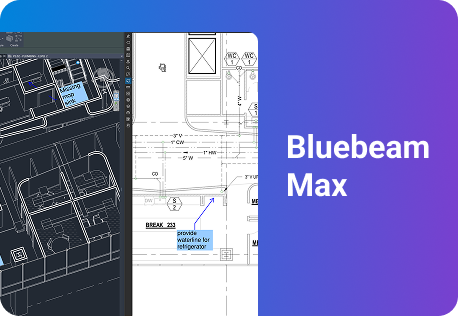
  • Use Max AI tools to focus your team’s review*

Keep field work connected to drawings

Keep RFIs, submittals and punch items connected to the drawing. Bluebeam on web and mobile helps field teams document conditions and build a clearer record for turnover.

  • Link RFIs and submittals to drawing locations
  • Add field photos and notes where issues occur
  • Track punch items through final correction
  • Organize as-builts and supporting closeout records

“We manage the revisions with the sets and push it out to the field and created markups that are hyperlinked to key details or shop drawings. This allows guys in the field to navigate faster through the drawings.”

Pablo Giraldo
Project Engineer, The Walsh Group

One workspace for every project

Explore how Bluebeam helps general contractors keep drawings current and coordinate decisions faster.

Commercial

Review bid scope against the drawings and keep trade questions visible before they become field issues.

  1. Mark scope gaps and trade interfaces on PDF plans

  2. Review clarifications with project partners in Studio Sessions

  3. Compare revised drawings before releasing updates to the field

5 ways Bluebeam supports general contractors

Bluebeam connects the drawings and decisions behind the work, from early reviews to owner turnover.

  1. Current sets: Organize drawing revisions and share current sheets, so teams can check the latest details before building.

  2. Faster design and constructability reviews: Bring reviewers into Studio Sessions and track comments through resolution in the Markups List.

  3. Accurate precon takeoffs: Measure quantities from calibrated PDF plans and keep the supporting calculations connected to the drawing.

  4. RFIs, submittals and punch on the drawing: Keep questions and corrective work tied to the location that explains them.

  5. Turnover packages: Assemble searchable record drawings and supporting closeout documents as the project progresses.

See the Bluebeam difference for GCs

See how project teams use Bluebeam to manage review comments and reduce the cost of paper-based workflows.

100k +

comments streamlined

Mortenson reported an average 40% time saving in inspection and sign-off; 93% of surveyed project subcontractors said Studio sped up documentation and the overall project.

73%

lower paper costs

Turner Construction and the owner saved 73% on project-related paper costs on the Cobb County Superior Courthouse project.

1000

saved on printing costs

The Walsh Group estimated that using tablets in the field reduced printing costs by roughly $10,000–$15,000 on its I-75 expansion project

Integrations

Connect Bluebeam to your favorite tools.

Whether you’re using one of our ready-to-use integrations or building your own with Bluebeam Studio APIs, you can connect the applications you rely on for smoother workflows that keep projects moving.

Logos of Applications that integrate with Bluebeam Logos of Applications that integrate with Bluebeam

Explore Apps & Integrations

Resources

It’s easy to get started with Bluebeam

Frequently asked questions

What software do general contractors use?

Is Bluebeam a construction project management platform?

How do general contractors run constructability reviews in Bluebeam?

How do GCs keep subcontractors and field teams on the current set?

Can Bluebeam use AI to review construction drawings?

Is Bluebeam a good fit for small general contractors?

* Smart Review and Overlay are currently in preview as we continue to improve them. Smart Review is optimized for US-based vertical commercial construction.
Revit® is a registered trademark of Autodesk, Inc., and/or its subsidiaries. All other trademarks are the property of their respective holders.

Discover what Bluebeam can do for you.