ZGF Architects
PDX Reimagined: How a Digital Backbone Powered America’s Most Ambitious Airport Project
A new way to supercharge Revu with AI.
The Complete Guide to Construction Takeoffs in 2026
Bluebeam helps construction teams move RFIs from question to resolution without losing time to email chains and scattered spreadsheets. Keep every drawing reference connected to its question and answer in a single record.



“We marked up the issues, proposed corrections and resolved it as a team right in Bluebeam. It usually takes two quick revision rounds, then we release the new drawing. Because Bluebeam is live, it’s fast — we don’t lose time.”
Mara Horn
Construction Manager, Cargill





Bluebeam gives each role the view and the record they actually need.
Manage open RFIs across every active job from one place, with clear ownership and a documented trail from question to closeout.
Track outstanding RFIs across multiple projects in a single list
Route requests to the right reviewer with due dates and status
Export standardized RFI logs for owners and subcontractors

Bluebeam’s RFI tracking and management tools give project teams better:

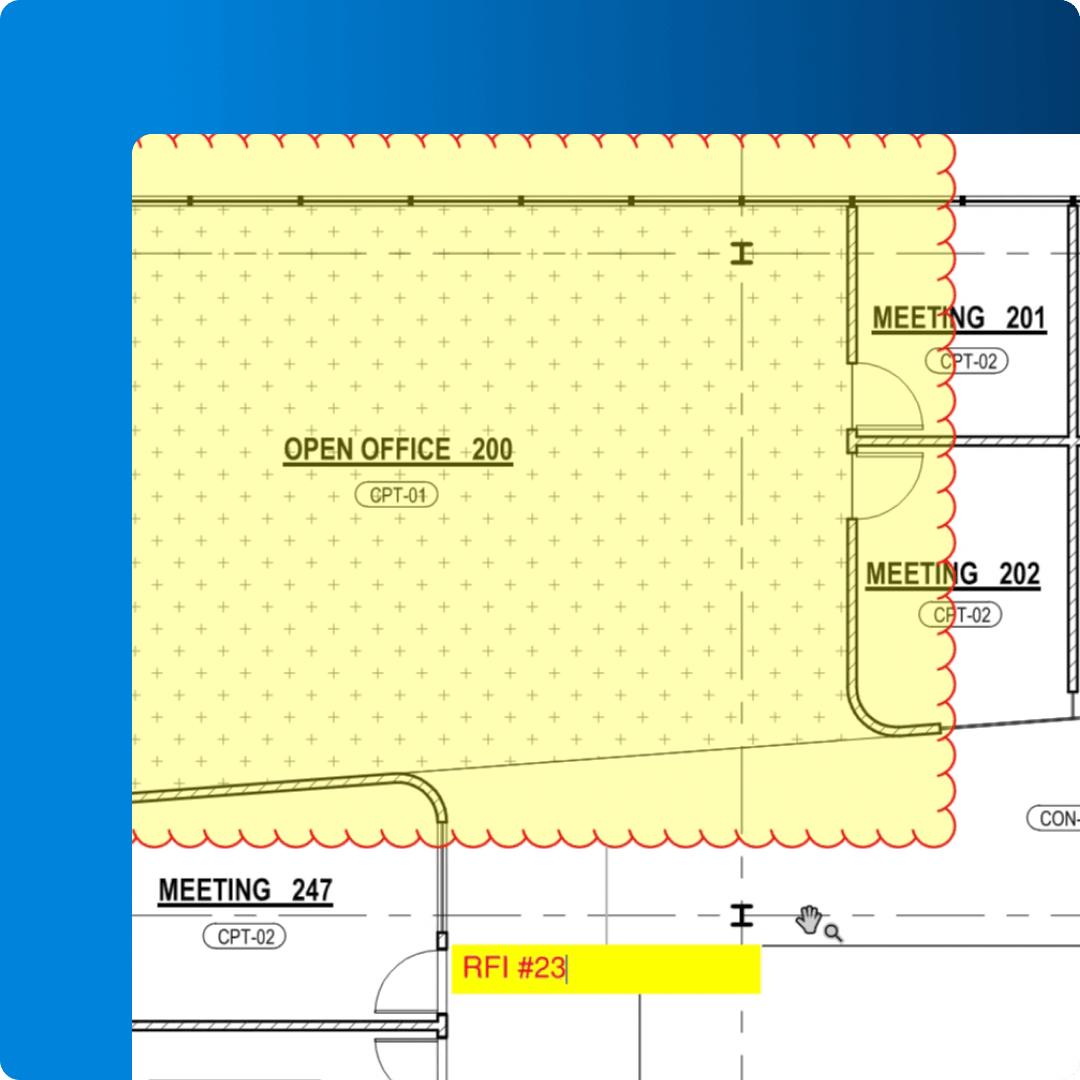
Context: Create RFIs on the drawing itself, with snapshots and markups that show reviewers exactly what’s in question
Visibility: Track status, assignee and due date for every open RFI in one sortable list
Speed: Resolve RFIs in live Studio Sessions instead of waiting days on email replies
Accountability: Keep a timestamped record of who asked, who answered and when
Documentation: Export standardized RFI logs in PDF, CSV or XML for owners, GCs and subs
Forcia used Bluebeam to digitize their RFI process on a project to rebuild Central London.
Pinnacle Consulting Engineers cut reiterations and rework by roughly 50% after adopting Bluebeam for project communication.
Cargill’s team uses Bluebeam to turning around RFIs in hours instead of a day or more.

Capture the exact region of the drawing in question and drop it straight into the RFI for instant visual context.

Track every RFI in an integrated, customizable list with filtering, status columns and exportable PDF, CSV or XML reports.

Apply and update Open, Answered and Closed stamps across pages and documents so RFI status is visible at a glance.

Invite anyone in the office or the field to review and respond to RFIs together, live, on the same document.

Build reusable RFI forms from scanned or digital documents, with fields for signatures and approval dates detected automatically.

Jump from an RFI straight to the referenced sheet, snapshot, detail or supporting document in a single click.

Automatically link an entire drawing set so reviewers can navigate from an RFI to any related sheet instantly.

Communicate the issue precisely with clouds, callouts, dimensions and highly customizable annotations.

Save and share standardized RFI markup and stamp sets so every project team documents requests the same way.

Use AI to surface conflicts and gaps in the drawing set before they turn into RFIs, so fewer questions reach the field.

Automatically link RFI markups to the matching spot in Revit, in both the drawing sheet and the 3D view.
Bluebeam gives teams a repeatable way to raise, route and close RFIs. Here’s how to start.
Open the sheet in Revu and use Edit > Snapshot to capture the area in question. Paste it into your RFI form, or build a reusable template through Tools > Form using Automatically Create Form Fields. Add clouds and callouts so the reviewer sees exactly what you’re asking about.
Every RFI markup appears in the Markups List, where you can add columns for assignee, due date and status. Sort and filter to see what’s open, what’s overdue and who owes an answer. Apply custom stamps to update status across documents at once.
Start a Studio Session and invite the architect, engineer, GC or subs to review and respond in real time. When the RFI is resolved, export the full log from the Markups List as a PDF, CSV or XML record for the project file.
Integrations
Whether you’re using one of our ready-to-use integrations or building your own with Bluebeam Studio APIs, you can connect the applications you rely on for smoother workflows that keep projects moving.

Resources