


ZGF Architects
PDX Reimagined: How a Digital Backbone Powered America’s Most Ambitious Airport Project
A new way to supercharge Revu with AI.

The Complete Guide to Construction Takeoffs in 2026


Best Construction Collaboration Software in 2026
This guide breaks the category down by job so you can match tools to what you actually need, with an overview of where Bluebeam fits.

The best construction collaboration software covers at least four different workflows: document markup and review, field task management, BIM-level design coordination, and full project management with budgets and schedules. For a deeper evaluation framework, see our construction collaboration software guide.
The four jobs "construction collaboration software" covers

| Job | What good looks like | Best-fit platform |
|---|---|---|
| Document markup & design review | Concurrent, PDF-based markup and review with a traceable record of comments and decisions; offline work that syncs when users reconnect | Bluebeam |
| Connected construction project management | Financials, change management, RFIs, submittals, documents, field workflows, and schedule visibility connected across the project team | Procore |
| BIM coordination | Federated multidisciplinary models, automated clash detection, and accountable issue resolution in a 3D coordination environment | Autodesk Construction Cloud |
| Field execution | Mobile-first coordination of field tasks, plans, photos, forms, and status updates—especially for teams managing day-to-day work in the field. | Fieldwire |
This is a starting map— several of these tools are built to run alongside each other rather than replace one another. See how Bluebeam fits with your existing stack.
Document markup and design review
Real-time document collaboration lets multiple people mark up the same sheet at once, keeps each markup tied to its author, timestamp and status, and gives field teams a full mobile markup experience.
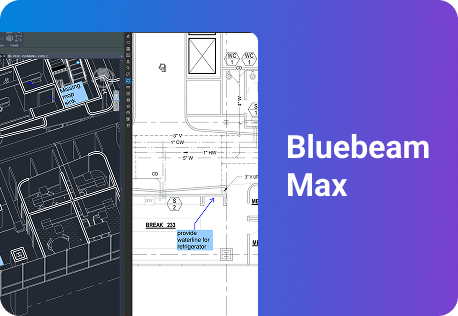
Bluebeam is built for drawing-based review. Teams can mark up shared PDF sets from desktop, web and mobile, with edits tracked in the Markups List and Session Record. iOS and Android users can work offline and sync changes when they reconnect. Bluebeam Max, the premium subscription tier, adds AI-assisted drawing comparison and Connected Studio Sessions for Revit, which links 2D markups to locations in the model.
Explore Bluebeam’s collaboration features | Start a free trial
Full project management
Some projects need one environment for budgets, change orders, RFIs, submittals, daily logs and schedule visibility across the project team. Platforms such as Procore are designed for that broader project-management role.
That does not make document review an either/or decision. Bluebeam connects with Procore, Autodesk Construction Cloud, SharePoint, Box, Dropbox, OneDrive and other systems, so teams can retain a drawing-first review workflow alongside their existing project-management platform.
See Bluebeam’s integrations directory for the full list.

BIM coordination
When coordination happens primarily in 3D — federating models, finding clashes between disciplines and assigning resolution work — Autodesk Construction Cloud is built for that model-based workflow.
Many teams use both tools: Autodesk Construction Cloud for model coordination and Bluebeam Studio Sessions for concurrent 2D drawing review. With Bluebeam Max, Connected Studio Sessions for Revit can connect sheet markups to their corresponding model locations.
Field execution
Fieldwire is commonly used for mobile-first task management: teams can pin work to a drawing, assign it to a person or trade, add due dates, photos and checklists, and track progress in the same plan-based workflow.
Bluebeam also supports drawing-based field work. Teams can access and mark up PDFs in the field, add photos and update markup statuses, collaborate in Sessions, and continue working offline before syncing changes when connectivity returns. For task and form workflows, Task Link connects markups in Bluebeam Revu with GoCanvas dispatches, mobile forms and field updates.
How to think about combining tools

These jobs overlap, but they’re not the same. A common stack pairs a project-management platform for financial and administrative workflows, a BIM platform for model coordination, and Bluebeam for drawing-based markup, review and field collaboration.
- Start with the workflow creating the most friction: document review, project controls, model coordination or field execution.
- Check whether your existing systems integrate before replacing them.
- Pilot the workflow on a live project with real external collaborators; adoption matters more than a feature checklist.
For a full evaluation checklist and questions to ask vendors, see the construction collaboration software guide.
Frequently asked questions
What’s the best construction collaboration software?
It depends which job you need solved: document markup and design review, full project management, BIM-level design coordination, or field task management are four different problems, and the strongest tool for each is typically different. Bluebeam is built specifically for real-time document markup and design review.
What’s the best construction collaboration software for contractors?
Contractors typically need some combination of document markup (RFIs, submittals, punch) and broader project management (budgets, schedules). Many run a document-first tool like Bluebeam alongside a project-management platform, connected through integrations rather than a single all-in-one system.
Which construction collaboration software is best for on-site and mobile field teams?
The key test is whether a platform supports full offline markup that reliably syncs once a device reconnects, versus a mobile app that’s mainly a plan viewer. Bluebeam supports full offline markup on iOS and Android.
Which construction collaboration software offers the best document management and approvals?
Look for a platform that separates controlled document storage from live review, with approvals recorded against the document and a full audit trail. Bluebeam’s Studio Projects and Studio Sessions are built around that separation specifically.
Which construction collaboration software is best for designers and contractors working together?
The capability that matters most is simultaneous multi-discipline markup — architectural, structural and MEP teams marking up the same set at once rather than in sequence. Bluebeam’s Studio Sessions support this, with Bluebeam Max subscribers able to link markups to the matching Revit model location.

