Construction Drawing & Document Management Software

Construction document management software to keep every set current

Streamline workflows, improve communication, reduce costs, and ensure compliance with Bluebeam’s industry-leading tools for construction drawing and document management.
Try It Free View Our Plans

Trusted by over 4 million AEC professionals

Bluebeam customer AECOM logo Bluebeam customer CannonDesign logo Bluebeam customer Skanska logo Bluebeam customer Arup logo Bluebeam customer STRABAG logo Bluebeam customer AECOM logo Bluebeam customer CannonDesign logo Bluebeam customer Skanska logo Bluebeam customer Arup logo Bluebeam customer STRABAG logo Bluebeam customer AECOM logo Bluebeam customer CannonDesign logo Bluebeam customer Skanska logo Bluebeam customer Arup logo Bluebeam customer STRABAG logo
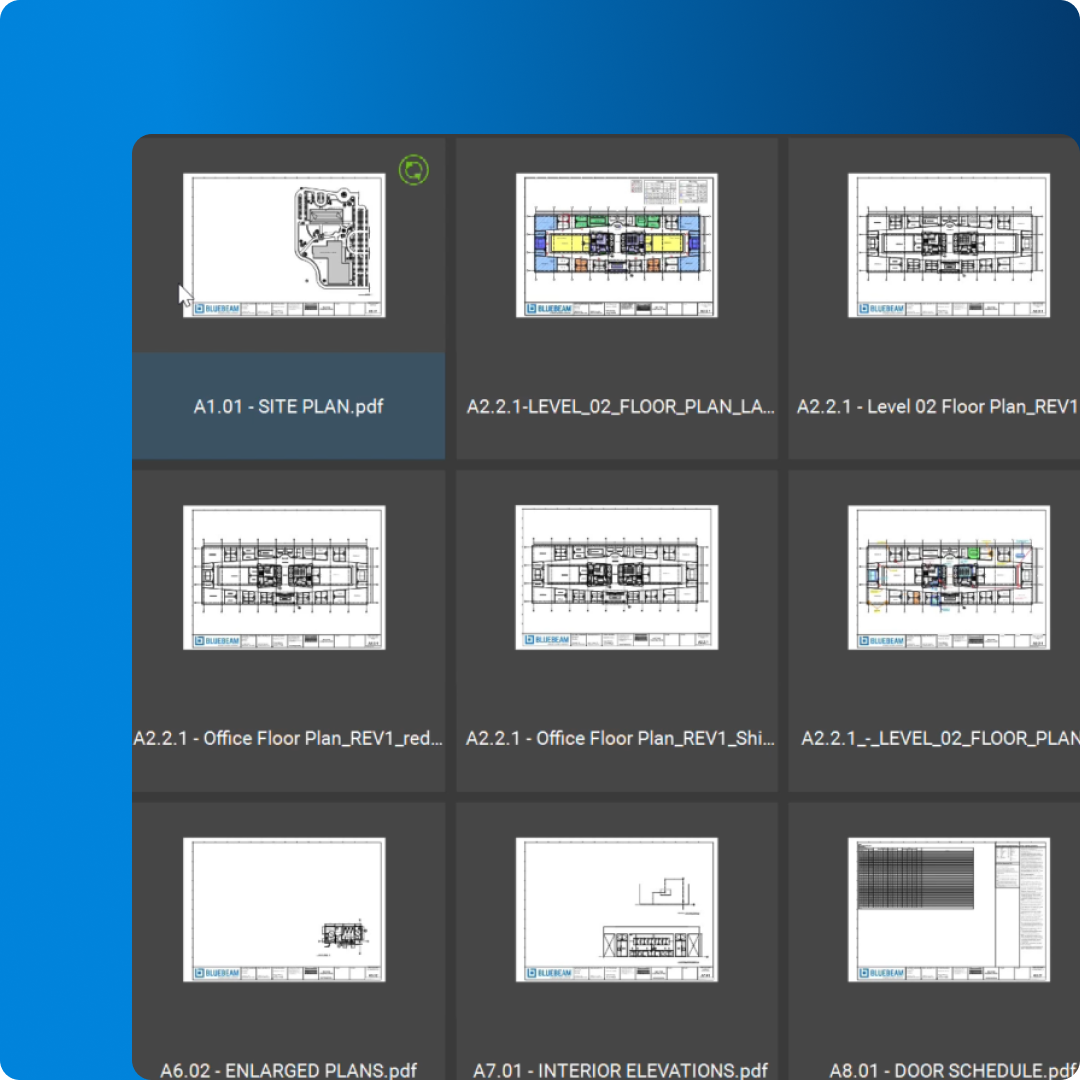
Screenshot of drawing set in Bluebeam Revu

Custom built for construction project teams

Centralize construction drawings, documents and markups in one connected workspace purpose-built for architects, engineers, contractors and owners.

  • Keep current drawing sets, RFIs and submittals accessible to the entire project team
  • Organize plans, specs and revisions in structured, searchable folders
  • Control who can view, edit and approve documents with project- and role-based permissions
  • Track revisions with clear naming, slip sheeting and automatic version history
  • Use standardized document sets and templates to streamline project startup
  • Maintain a complete record set from design through closeout in a single source of truth
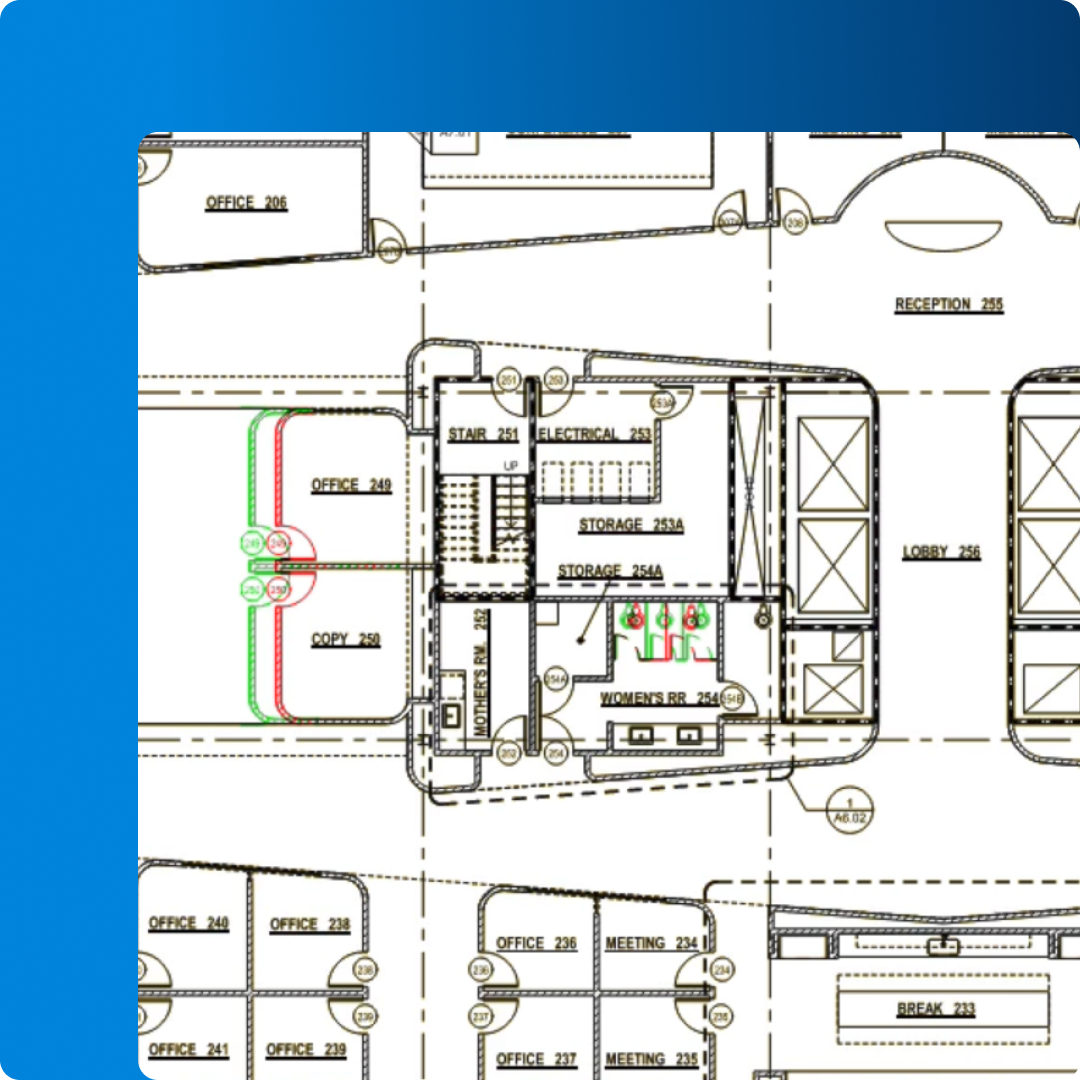
Screenshot of drawing set in Bluebeam Revu
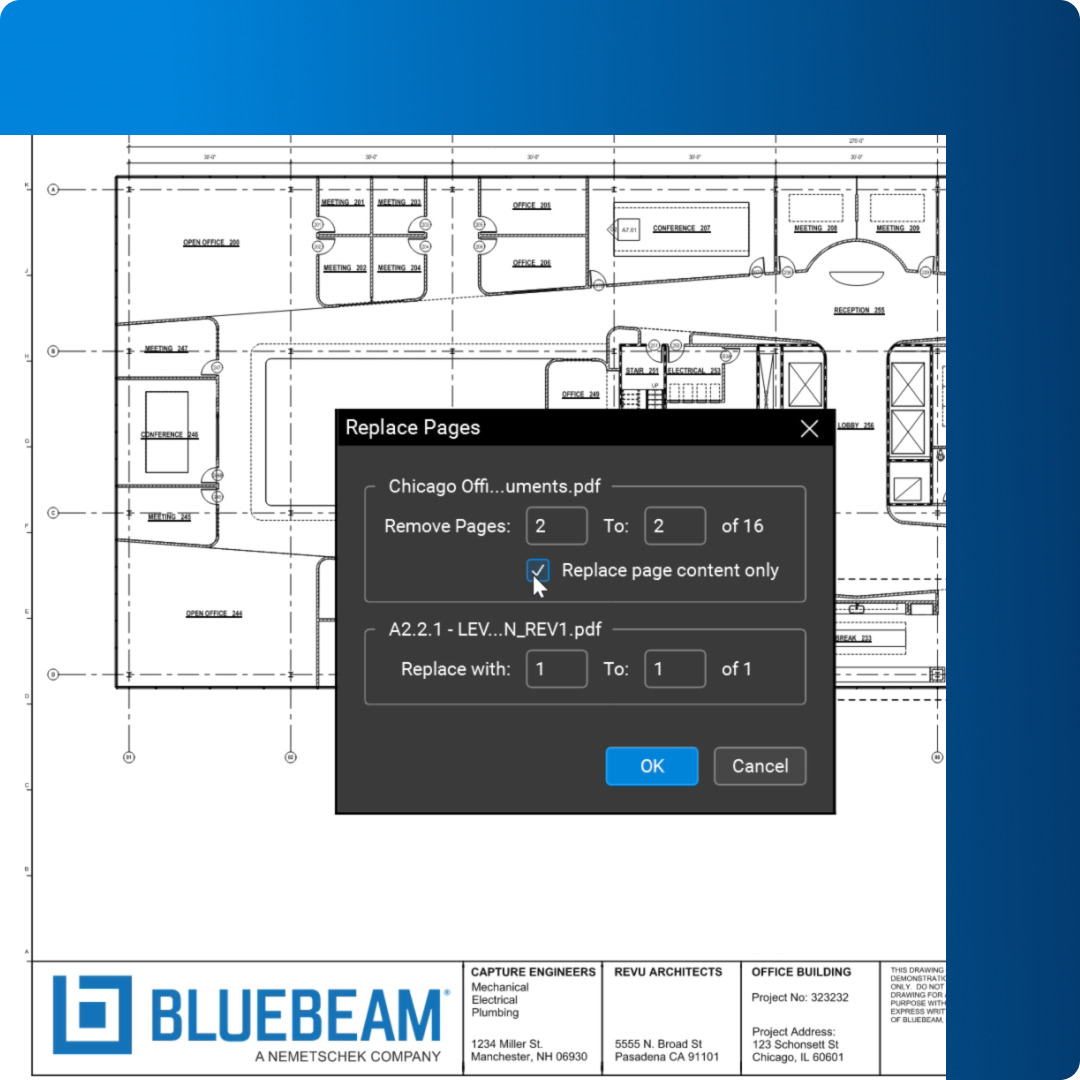
Screenshot of Replace Pages feature in Bluebeam Revu

Manage drawings with confidence

Ensure everyone is working from the latest sheet with tools that make it easy to publish, review and control construction documents throughout the project lifecycle.

  • Quickly upload and publish new drawing revisions to the entire team
  • Compare sheets side by side to identify changes between versions
  • Apply automatic slip sheeting to replace outdated pages while preserving markups
  • Link details, sections and RFIs directly from the drawing for faster navigation
  • Flag, assign and track issues directly on the sheet to reduce missed items
  • Generate up-to-date drawing logs and transmittals for internal and external stakeholders
Screenshot of building plan in Bluebeam Revu

Real-time access and control

Connect office and field with real-time access to drawings and documents so teams can make decisions quickly and reduce risk caused by outdated information.

  • Give field teams instant access to current drawings on any device
  • Sync updates from the office so supers, foremen and subs see changes right away
  • Reduce rework caused by building from outdated plans or conflicting documents
  • Capture markups, photos and as-built changes directly on the latest sheets
  • Maintain a live record of who viewed, edited or approved each document
  • Improve coordination and handoff with a complete, accurate project record at closeout
Screenshot of building plan in Bluebeam Revu

Trade-specific document control, all in one workflow

General

Handle everyday drawing and document management with structured sets, clear revisions and organized records that keep every stakeholder on the same page.

  1. Centralize plans, specs, RFIs and submittals in one connected project

  2. Standardize folder structures, naming conventions and status workflows

  3. Track revisions and approvals so teams always know which set is current

Two construction workers look at laptop on top of truck
Working on Bluebeam Revu in the office

Construction document management made easy

Here’s how Bluebeam helps streamline your construction drawing and document management for better results, project after project.

  • Standardize communication – Quickly and easily access the information you need from anywhere. Ensure everyone’s aligned on project requirements and progress to prevent costly mistakes.

  • Reduce costs – Lower administrative costs and enhance efficiency with real-time markups, automated workflows, and version control.

  • Increase compliance – Ensure compliance with industry regulations and standards by providing accurate records, audit trails, and customizable workflows.

  • Enhance coordination – Streamline coordination between teams with real-time collaboration and industry-standard tools, ensuring everyone works towards the same goals.

HOW-TO

How to use manage documents and drawings with Bluebeam

1. Create a Set

View, access and navigate an unlimited number of various source files as a single document in a single tab. Files within a Set can now be automatically organized by categories based on preconfigured or custom templates, with options to carry over markups, hyperlinks, and more.

2. Compare Documents

Navigate to Document > Compare Documents. Select the two PDF files you want to compare. Specify the output folder and other comparison options, then click “OK” and watch while Bluebeam quickly highlights the differences!

3. Use Batch Tools

Click Batch on the Menu bar for easy access to tools that can be used on multiple PDFs at the same time. This is particularly useful for repetitive tasks in projects or when dealing with large volumes of documents and revisions.

Try It Today

POPULAR FEATURES

All the digital takeoff tools you need to finish the job faster

 Batch Link icon

Batch Link®

Quickly and automatically link an entire group of pages or documents for easy navigation.

 Batch Slip Sheet icon

Batch Slip Sheet

Keep sets up to date by automatically matching new revisions with their corresponding current sheets.

 Overlay icon

Overlay

Compare two or more PDFs by converting each to a different color then stacking them on top of each other as layers.

 Compare Documents icon

Compare Documents

Compare two PDFs and highlight the differences with markups that can be easily reviewed.

Optical Character Recognition

Turn scanned construction drawings into text-searchable PDF files and find the information you’re looking for faster.

 Page Labels icon

Page Labels

Simplify navigation by using existing bookmarks or title block data to automatically detect information and label pages.

 Sets icon

Sets

Ensure sets are up to date by viewing, accessing and navigating an unlimited number of drawings as one document in one tab.

 Studio Projects icon

Studio Projects

Upload documents and invite project partners around the world to access and edit on any device.

Discover the Bluebeam difference for document management

See how unifying drawings, markups, and measurements accelerates estimating, improves accuracy, and keeps projects on track. Bluebeam customers experience:

10x

growth

Mechwest was able to grow their team by 10x after adopting Bluebeam for digital document management.

See how they did it

$70,000

total savings

Bluebeam helped Premier Mechanical digitize project delivery, saving time and paper costs.

See how they did it

20%

less paper

Ribuna AG used Bluebeam to digitize documentation and collaboration and significantly reduced paper costs.

See how they did it

Integrations

Connect Bluebeam to your favorite tools.

Whether you’re using one of our ready-to-use integrations or building your own with Bluebeam Studio APIs, you can connect the applications you rely on for smoother workflows that keep projects moving.

Logos of Applications that integrate with Bluebeam Logos of Applications that integrate with Bluebeam

Explore Apps & Integrations

RESOURCES

It’s easy to get started with Bluebeam

Frequently asked questions for takeoff and estimation software

What is construction drawing & document management?

What kind of software do AEC professionals use for construction drawing and document management?

What are the benefits of using construction drawing and document management software?

Discover what Bluebeam can do for you.