


ZGF Architects
PDX Reimagined: How a Digital Backbone Powered America’s Most Ambitious Airport Project

A new way to supercharge Revu with AI.

The Complete Guide to Construction Takeoffs in 2026


AI AND INNOVATION
People-centric innovation for the construction industry
Bluebeam is continuing to invest in advanced technologies like AI to make your life easier. Here’s how.


Our commitment to you
For over 20 years, we’ve been dedicated to making your job less tedious and more automated. As we develop new ways of helping you build, we’re also committed to ensuring our AI innovations are dependable, transparent, and secure.

20 years of Bluebeam innovation
At Bluebeam, ‘AI’ and ‘innovation’ are more than just buzzwords. For over twenty years, we’ve been harnessing the power of cutting-edge technology to make your team more productive and profitable. Here are some highlights:
2005
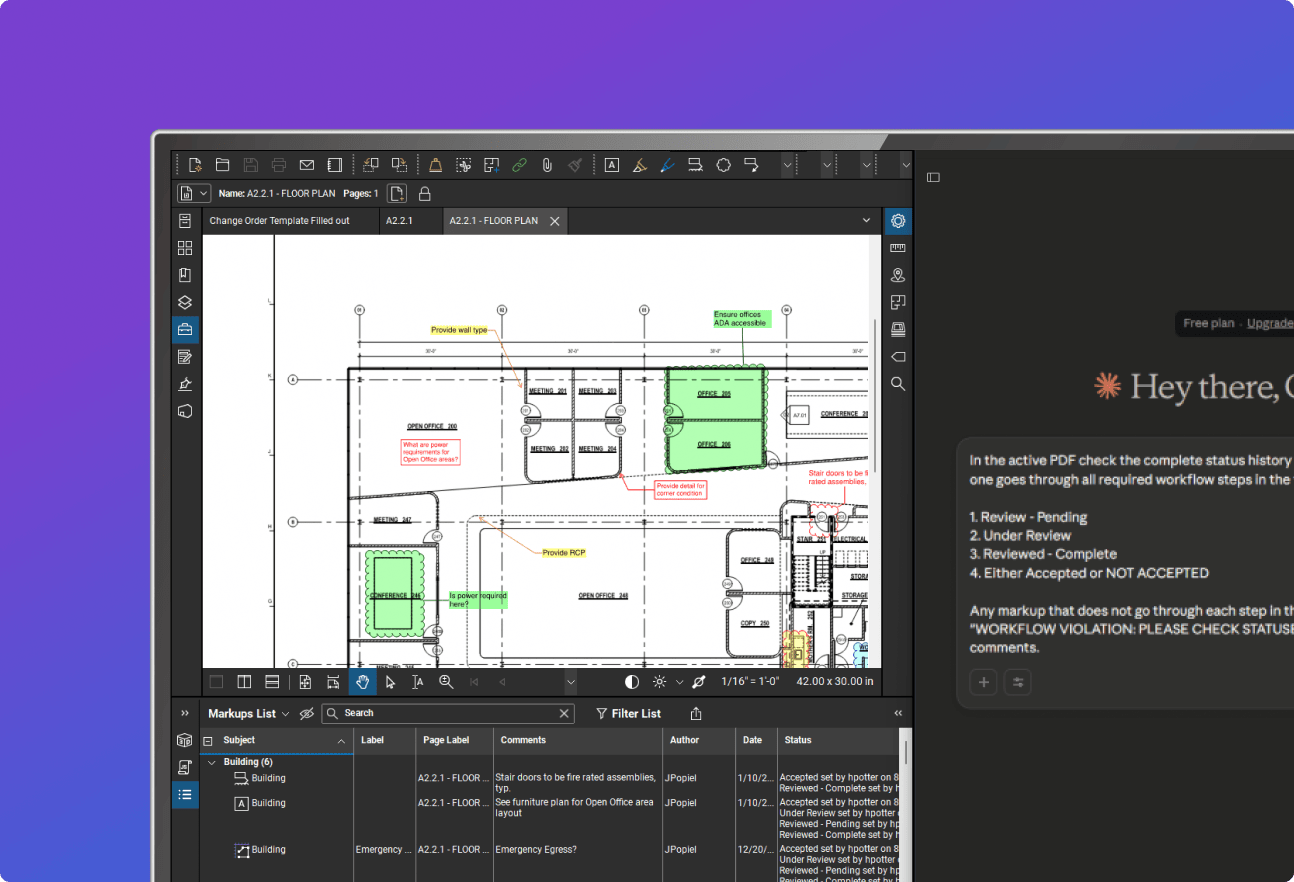
Markups List
Giving you an interactive window into all the collaboration that goes into a document. Only Bluebeam offers this capability to do more with your markups: view, sort, filter, group, assign tasks, set statuses, export, customize, and more.
2009
Batch Processing
Automates tedious tasks for large drawing sets, so you save time and avoid manual errors keying in the same changes over and over. Several batch features help Revu power users make bulk changes faster and more accurately.
2010
Studio in Revu
Enabling real-time cloud-based collaboration since 2010, Studio is essential to everyday project collaboration for hundreds of thousands of AECO professionals.
2011
VisualSearch
VisualSearch harnesses the power of AI to speed up quantity takeoffs and estimations. Simply show Revu an image to automatically identify and count all other instances in your drawing(s).
2015
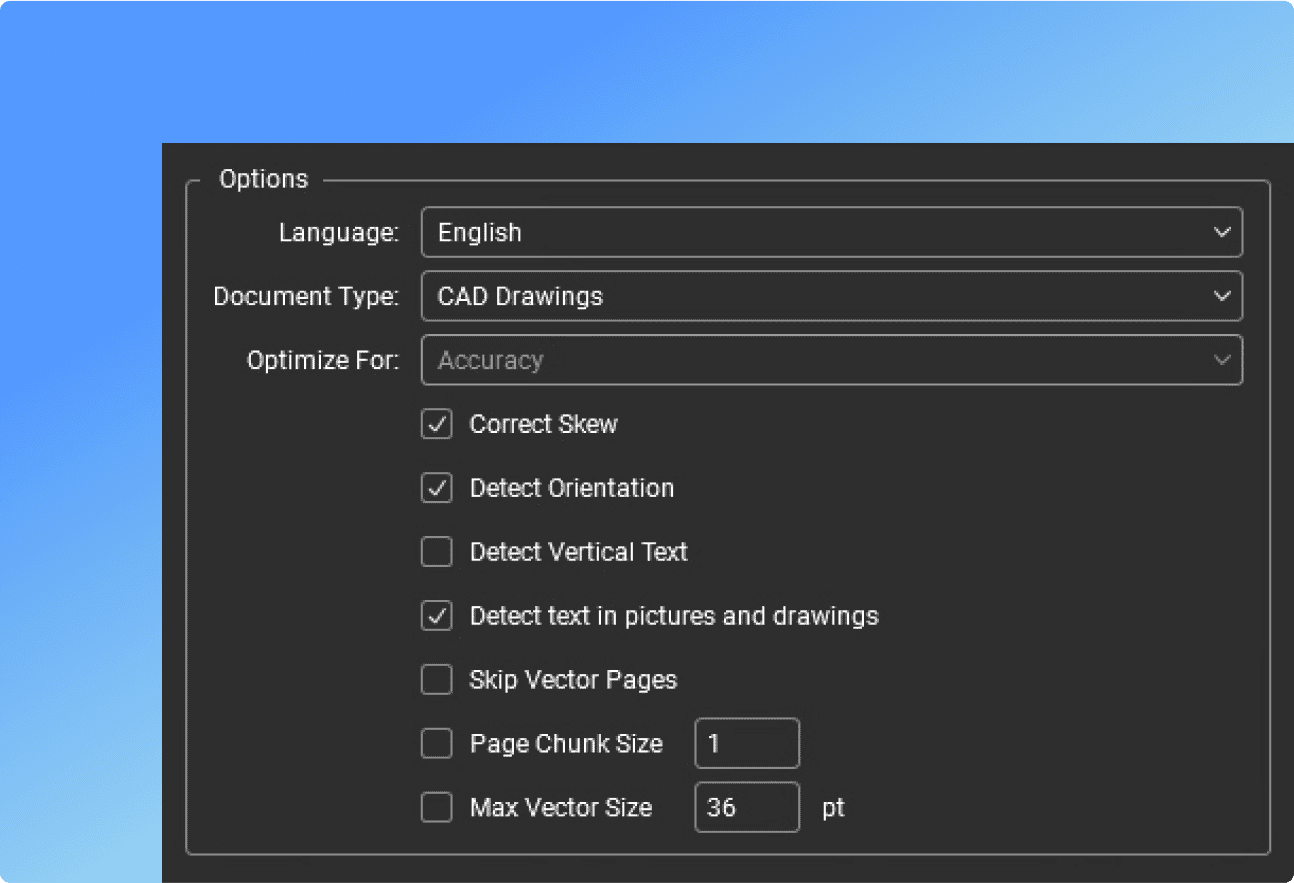
Optical Character Recognition (OCR)
OCR allows you to transform scanned PDFs into text-searchable and selectable files, so you can save time navigating even the most complex, extensive document sets.
2017
Dynamic Fill
One of the most beloved features in Revu, Dynamic Fill automates complex measurements by filling in irregular shapes to quickly generate perimeter, area, volume, and more.
2022
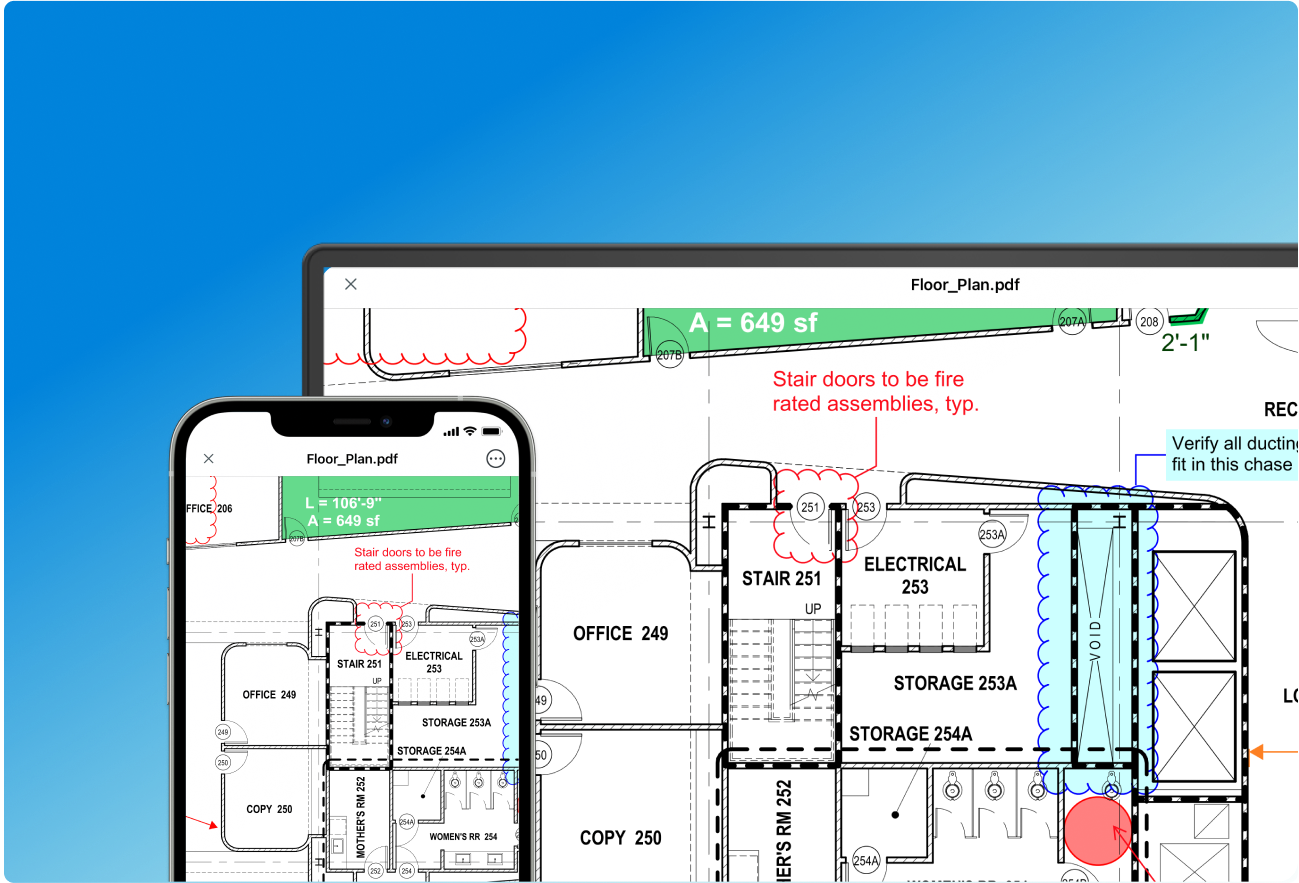
Bluebeam on web and mobile
Bluebeam it on the go! Mark up and measure together from anywhere by extending the powers of Revu across your web browser or mobile device.
2026
Bluebeam Max
Supercharge Revu with AI. Accelerate drawing reviews, automate workflows and bridge the gap between PDF and BIM.
Explore Max here



2005
Markups List
Giving you an interactive window into all the collaboration that goes into a document. Only Bluebeam offers this capability to do more with your markups: view, sort, filter, group, assign tasks, set statuses, export, customize, and more.
2009
Batch Processing
Automates tedious tasks for large drawing sets, so you save time and avoid manual errors keying in the same changes over and over. Several batch features help Revu power users make bulk changes faster and more accurately.
2010
Studio in Revu
Enabling real-time cloud-based collaboration since 2010, Studio is essential to everyday project collaboration for hundreds of thousands of AECO professionals.
2011
VisualSearch
VisualSearch harnesses the power of AI to speed up quantity takeoffs and estimations. Simply show Revu an image to automatically identify and count all other instances in your drawing(s).
2015
Optical Character Recognition (OCR)
OCR allows you to transform scanned PDFs into text-searchable and selectable files, so you can save time navigating even the most complex, extensive document sets.
2017
Dynamic Fill
One of the most beloved features in Revu, Dynamic Fill automates complex measurements by filling in irregular shapes to quickly generate perimeter, area, volume, and more.
2022
Bluebeam on web and mobile
Bluebeam it on the go! Mark up and measure together from anywhere by extending the powers of Revu across your web browser or mobile device.
2026
Bluebeam Max
Supercharge Revu with AI. Accelerate drawing reviews, automate workflows and bridge the gap between PDF and BIM.
Explore Max here
Bluebeam Max
Supercharge the way you build.
Bluebeam Max is our new premium plan powered by AI and the latest Bluebeam technologies.
BLUEBEAM MAX
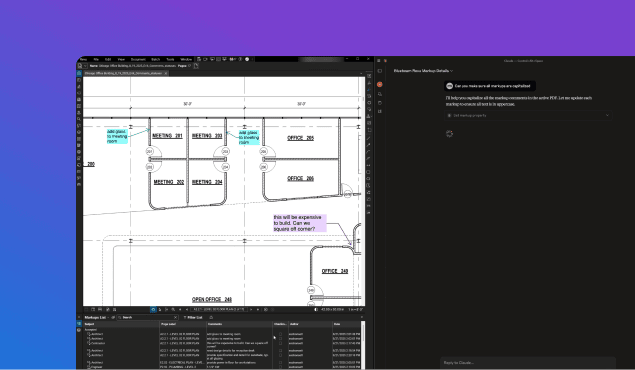
Revu + AI MCP
Use AI prompts to search information, turn markup metadata into insights, and become more efficient than ever. Currently supports Anthropic’s Claude.
BLUEBEAM MAX
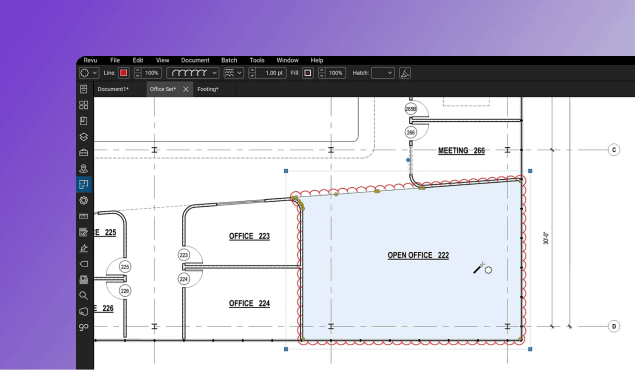
Magic Markups
Instantly duplicate, offset, or convert markups with CAD-level speed and precision. No manual redrawing required.
BLUEBEAM MAX
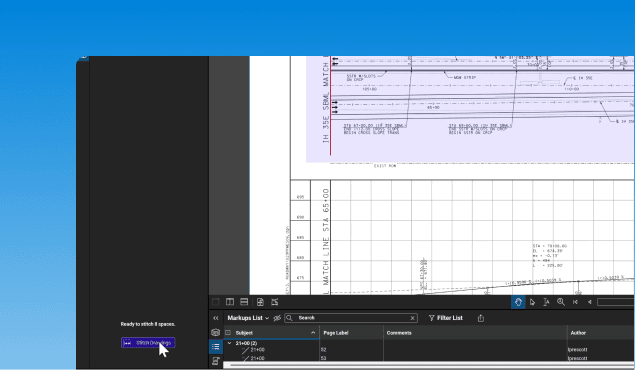
Stitching
Automatically combine drawing sheets from different parts of your project into a single, continuous view — giving you big picture clarity into your most complex projects.
BLUEBEAM MAX
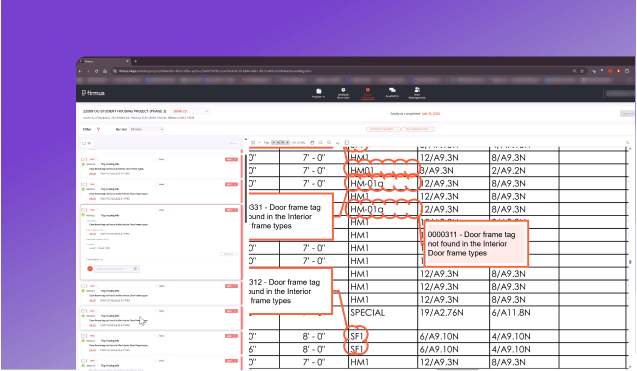
Smart Review*
Scan construction documents for design issues, scope gaps, and discrepancies. See insights as AI-generated markups, dashboards, and trackable issues.
BLUEBEAM MAX
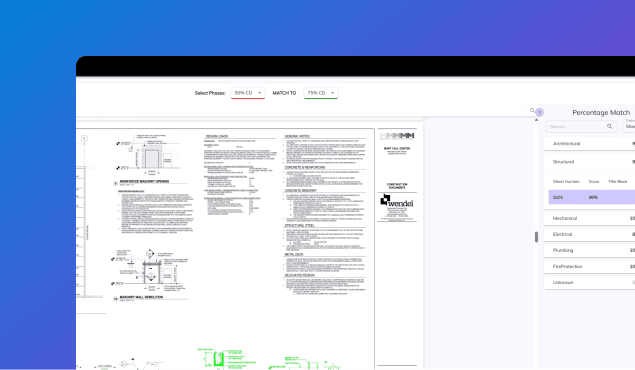
Smart Overlay*
Detect design changes across disciplines and drawing scales. See visual overlays, reports, and trackable comparisons that go beyond standard tools.
BLUEBEAM MAX
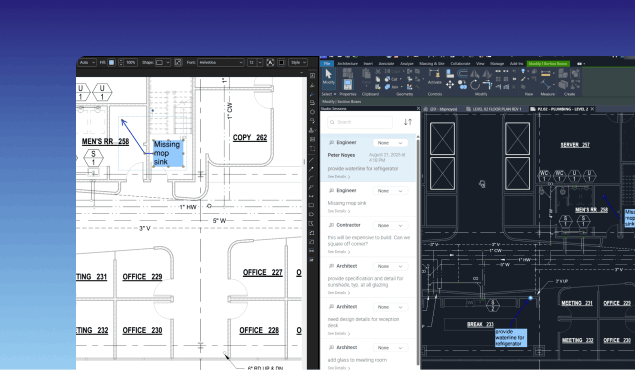
Connected Studio Sessions in Revit
Improve communication between design teams using BIM and build teams using Bluebeam with Connected Sessions with Revit® — your 2D Bluebeam markups automatically link to the correct spot in 3D Revit.
BLUEBEAM REVU
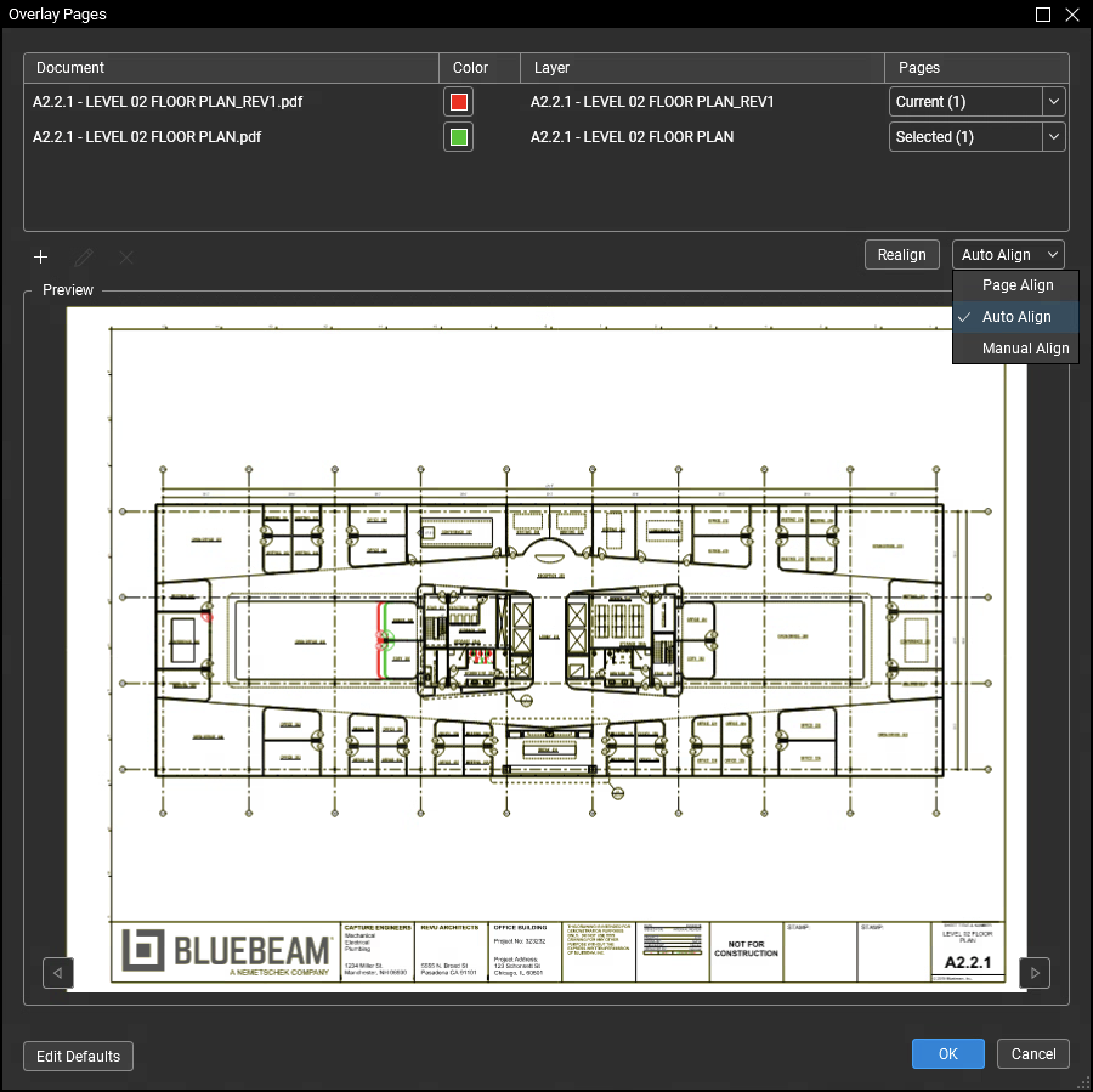
Auto Align
Auto Align simplifies the tedious, error-prone process of aligning three points on each drawing, so you can spot differences between them faster and easier than ever.

Help us shape the future
Interested in trying next-gen Bluebeam innovations before anyone else? Get involved with our Bluebeam Early Access Program today.
Frequently asked questions
* Smart Review and Overlay are currently in preview as we continue to improve them. Smart Review is optimized for US-based vertical commercial construction.
Revit® is a registered trademark of Autodesk, Inc., and/or its subsidiaries. All other trademarks are the property of their respective holders.