












Vinic Surveying
How Vinic Surveying Services Limited has transformed its estimating process for housing projects
A new way to supercharge Revu with AI.
Building Smarter in 2026: Insights from Bluebeam’s AEC Technology Outlook
Bluebeam snag list software lets construction teams document issues on PDF drawings in the field, so nothing gets lost between the site inspection and the fix.



“The speed and amount of space we were able to cover every day using Bluebeam for snagging enabled us to create snag lists in the timeframe that the contractor needed to complete the project.”
Brent Takahashi
Lead Architect, DES Architects + Engineers





Manage snag items across the project without losing the drawing context behind each issue. Bluebeam helps GCs share clear, location-based work lists with the trades responsible for resolving them.
Place each snag item directly on the current drawing
Assign work and track item status by trade
Export reports to monitor closeout progress

Bluebeam’s construction snag list software helps project teams close out work with clearer documentation and less going back and forth.

Context: Pin snag items to their exact location on the drawing
Consistency: Standardise snag symbols, statuses and reports across projects
Accountability: Assign work to the right party and track each item through completion
Collaboration: Share live snag information with teams in the office or field
Visibility: Filter, sort and report on open items without rebuilding a spreadsheet
DES reduced the time required to create and distribute snag lists after moving its field process to Bluebeam.
Turner used Bluebeam in the field to track issues, create snag lists and review drawings – reducing project paper use by 84,780 pages.
AECOM used Bluebeam to streamline 100,000+ comments across 400 collaborators on a huge school modernisation project.

Save custom snag symbols and standard comments for quick reuse. Share tool sets so teams document issues in a consistent format.

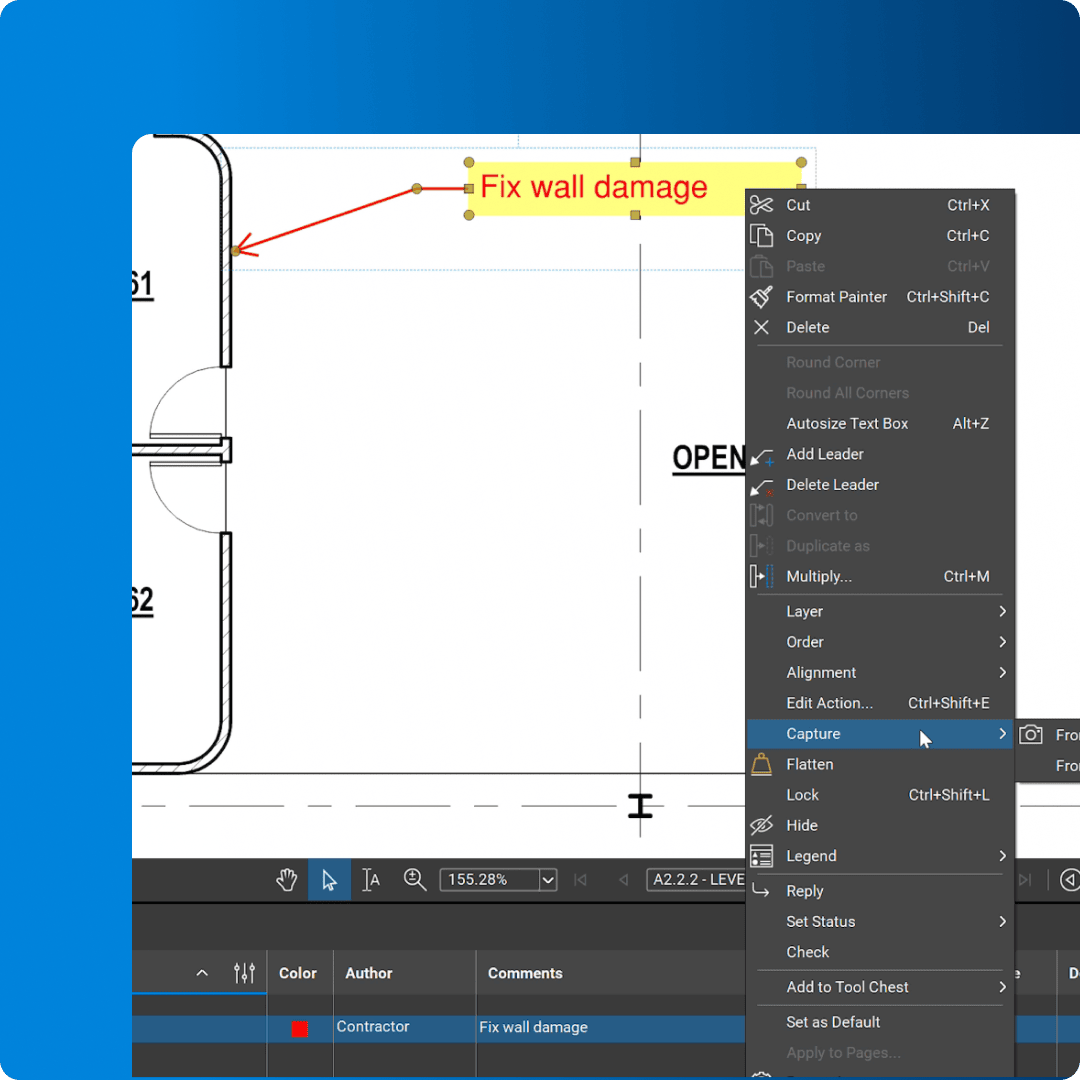
Use callouts, clouds, text boxes or photo markups to show the issue directly on the drawing.

Define rooms, floors or other areas as Spaces to sort snag markups by location.

Track snag items in a customisable list with filters, status columns, and exportable PDF, CSV or XML reports.

Set each item’s status and update it as work moves from open to complete.

Save preferred toolbars, panels and display settings in a profile built for snag workflows.

Create customised reports from Markups List data across multiple PDFs.

Invite project partners to mark up and review the same drawings in real time.

Access drawings away from the desk, add markups in the field, and collaborate in Sessions or Projects you have been invited to.
Bluebeam offers easy-to-use markup and reporting tools for faster site inspections. Here’s how to get started.
Open the current PDF drawing in Bluebeam and create or load a snag tool set. Use callouts, symbols or photo markups to establish a repeatable format that gives every item a clear visual reference. Here’s how the Tool Chest makes that easy.
Place one markup for each issue, then set its status in the Markups List. Add custom fields for the party responsible, due date or trade, so teams can filter the list and focus on the work assigned to them.
Open the Markups List and choose the columns, filters and sort order for your report. Export a PDF or CSV summary to share the latest construction snag list with project stakeholders.
Integrations
Whether you’re using one of our ready-to-use integrations or building your own with Bluebeam Studio APIs, you can connect the applications you rely on for smoother workflows that keep projects moving.

Resources