













Vinic Surveying
How Vinic Surveying Services Limited has transformed its estimating process for housing projects
A new way to supercharge Revu with AI.
Building Smarter in 2026: Insights from Bluebeam’s AEC Technology Outlook
Bluebeam helps teams create and share site logistics plans for complex jobsites. Map access routes and staging areas directly on plans, and then keep field and office teams aligned as conditions change.



“We used to operate with a much larger team. Now we’re leaner – and more efficient thanks to scalable tools like Bluebeam.”
Brian Goodrich
Integrated Delivery Discipline Chief, IHI Energy Solutions





Set up a clear site logistics plan before crews arrive. Use scaled plans to establish access, staging, temporary facilities and safety boundaries before activity picks up.
Import the site plan and calibrate the scale
Map planned access routes and staging areas
Share the plan with teams before mobilisation begins

Bluebeam’s construction logistics software gives site managers, project managers and field teams a clearer way to plan the jobsite and keep work coordinated.

Accuracy: Create scaled site logistics plans from the project plans your team already uses
Coordination: Show crews where to access the site, stage materials or operate equipment
Collaboration: Review plans in real time with stakeholders in the office or the field
Flexibility: Update logistics markups as site conditions and project phases change
Visibility: Use layers and legends to make dense site plans easier to understand
Solid Earth civil contractors adopted Bluebeam for digitising planning and won 50% more jobs.
Turner Construction used Bluebeam to digitise end-to-end workflows and saved big on paper.
The Walsh Group digitised real-time collaboration using Bluebeam and dramatically cut paper costs.

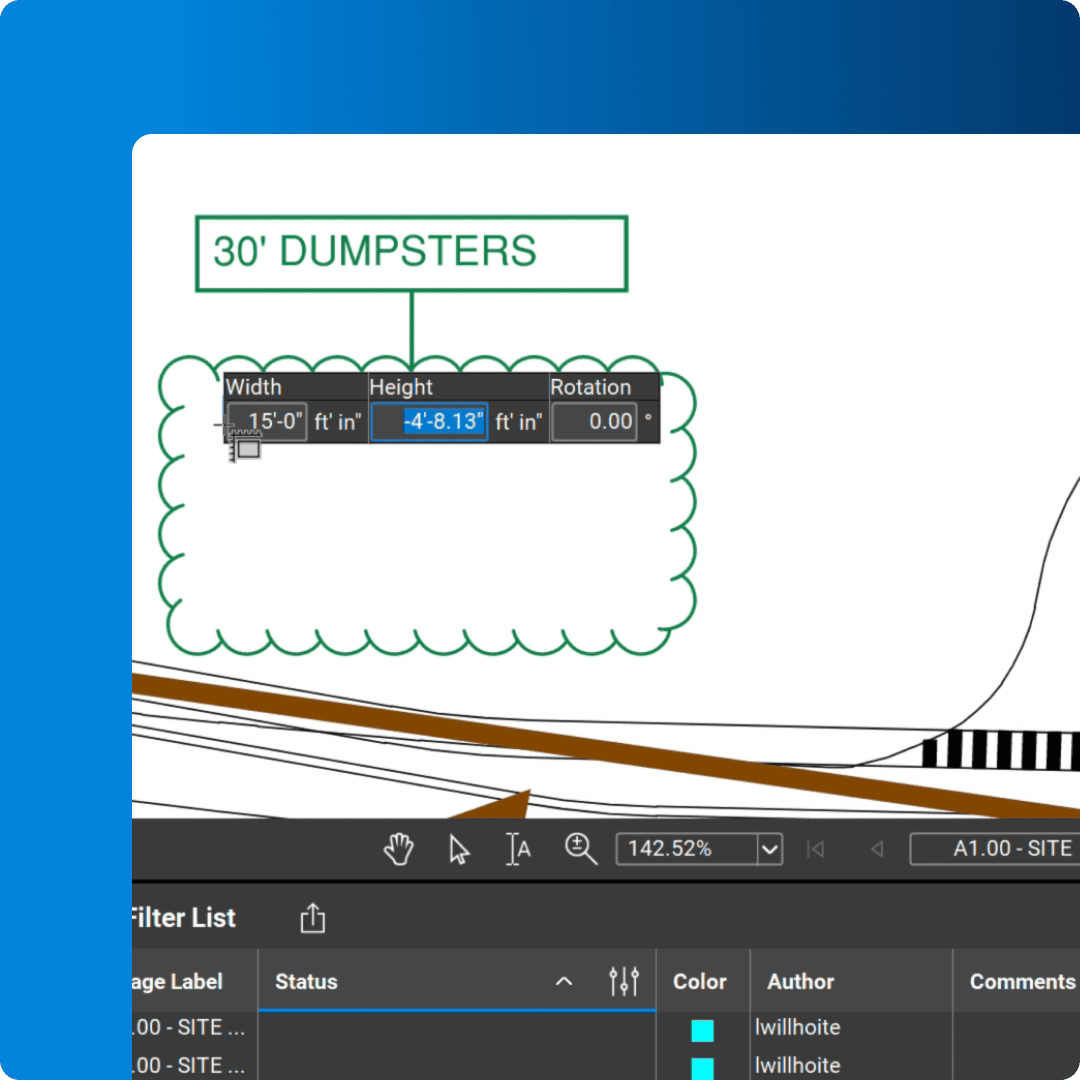
Add clouds, call-outs and custom annotations to communicate site logistics directly on the plan.

Save site-planning markups for quick reuse so teams can apply the same symbols and standards across projects.

Assign logistics markups to layers that can be turned on or off, helping each audience focus on the plan information that matters to them.

Measure distance, area or radius on calibrated plans to plan staging space and equipment clearance with confidence.

Create markups that resize automatically when placed on PDFs with different plan scales.

Draw scaled polygons, polylines, rectangles and ellipses to map jobsite areas directly on the plan.

Create a visual summary of logistics markups that updates automatically as the plan changes.

Invite office and field teams to review, mark up and update the same site logistics plan in real time.

Track logistics markups in one customisable list, and then filter according to status or export a PDF, CSV or XML report.
Bluebeam offers easy-to-use markup and collaboration tools for planning site logistics. Here’s how to get started.
Open the site plan in Bluebeam and calibrate the scale if needed. Use Sketch Tools and reusable markups to map access points, staging areas and other planned site conditions directly on the PDF.
Assign related markups to layers and then turn them on or off as needed. This enables to you show a delivery plan, safety boundaries or equipment layout without crowding the plan with information for every audience.
Invite project stakeholders into a Studio Session to review the plan together. Team members can add comments from the office or field, helping everyone work from the most current site logistics plan.
Integrations
Whether you’re using one of our ready-to-use integrations or building your own with Bluebeam Studio APIs, you can connect the applications you rely on for smoother workflows that keep projects moving.

Resources