


Software for Fire Safety Planning

Accelerate Fire Safety Planning with Bluebeam

Streamline compliance reviews, enhance stakeholder collaboration, and deliver precise fire safety documentation faster than ever

Create precise fire safety plans using customizable symbols libraries and calibrated measurement tools
Reduce fire safety review cycles by up to 30% with real-time collaboration tools
Ensure regulatory compliance with standardized markups tools and audit trails
Save money and reduce delays by eliminating paper-based review workflows

Try it free for 14 days—no credit card required.

Server Region:

By clicking “Try It Free”, you agree to the Terms of Use and Privacy Policy.

Create precise fire safety plans using customizable symbols libraries and calibrated measurement tools
Reduce fire safety review cycles by up to 30% with real-time collaboration tools
Ensure regulatory compliance with standardized markups tools and audit trails
Save money and reduce delays by eliminating paper-based review workflows

Trusted by over 4 million AECO professionals worldwide.

Bluebeam customer AECOM logo Bluebeam customer CannonDesign logo Bluebeam customer Skanska logo Bluebeam customer STRABAG logo Bluebeam customer Perkins & Will logo Bluebeam customer Arup logo The image displays the word ROSSETTI in bold, black uppercase letters on a light gray background, evoking the precision and reliability often associated with top-tier construction management software. Bluebeam customer Turner logo Bluebeam customer AECOM logo Bluebeam customer CannonDesign logo Bluebeam customer Skanska logo Bluebeam customer STRABAG logo Bluebeam customer Perkins & Will logo Bluebeam customer Arup logo The image displays the word ROSSETTI in bold, black uppercase letters on a light gray background, evoking the precision and reliability often associated with top-tier construction management software. Bluebeam customer Turner logo Bluebeam customer AECOM logo Bluebeam customer CannonDesign logo Bluebeam customer Skanska logo Bluebeam customer STRABAG logo Bluebeam customer Perkins & Will logo Bluebeam customer Arup logo The image displays the word ROSSETTI in bold, black uppercase letters on a light gray background, evoking the precision and reliability often associated with top-tier construction management software. Bluebeam customer Turner logo
Woman Looking up

BLUEBEAM OVERVIEW

What is Bluebeam?

Designed for AECO project needs across all disciplines and phases, Bluebeam construction software gives you the freedom and flexibility to deliver work your way.

Watch the Video

Woman Looking up

WORKFLOWS

Key Workflows

  • Fire Safety Markup
  • Compliance Documentation
  • Real-Time Collaboration
  • Drawing Comparison
  • Mobile Inspections
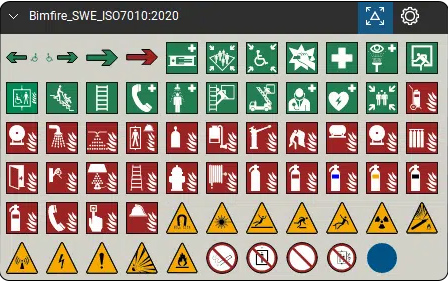
A grid of safety and hazard symbols—including emergency exits, first aid, fire equipment, and warning triangles—ideal for use in contractor software or construction collaboration software. Labeled Bimfire_SWE_ISO7010:2020.

Fire Safety Markup

Industry-Standard Fire Safety Annotations

Create precise fire safety markups using customizable symbols for fire doors, compartmentations, escape routes, and suppression systems with calibrated measurement tools ensuring regulatory compliance.
  • Standardized fire safety symbol libraries for consistent documentation across projects and teams
  • Calibrated measurement tools verify corridor widths, door sizes, and travel distances meet code requirements in seconds
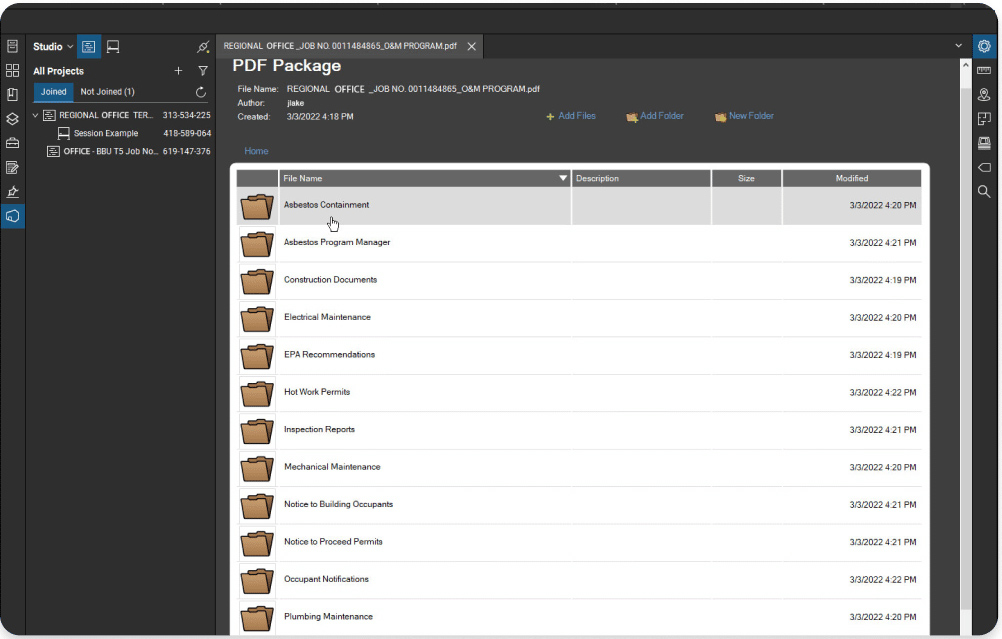
A computer screen displays a PDF package viewer with a file directory open. Multiple folders like Asbestos Containment and Construction Documents are listed, highlighting features common to construction takeoff software for contractors.

Compliance Documentation

Streamlined Regulatory Review Processes

Generate comprehensive compliance documentation with time-stamped audit trails, ensuring accountability and traceability for building control, fire service, and regulatory approvals.
  • Automated audit trails track every amendment and change with date stamps for regulatory accountability
  • Professional report generation creates branded compliance documentation for building control and fire service submissions
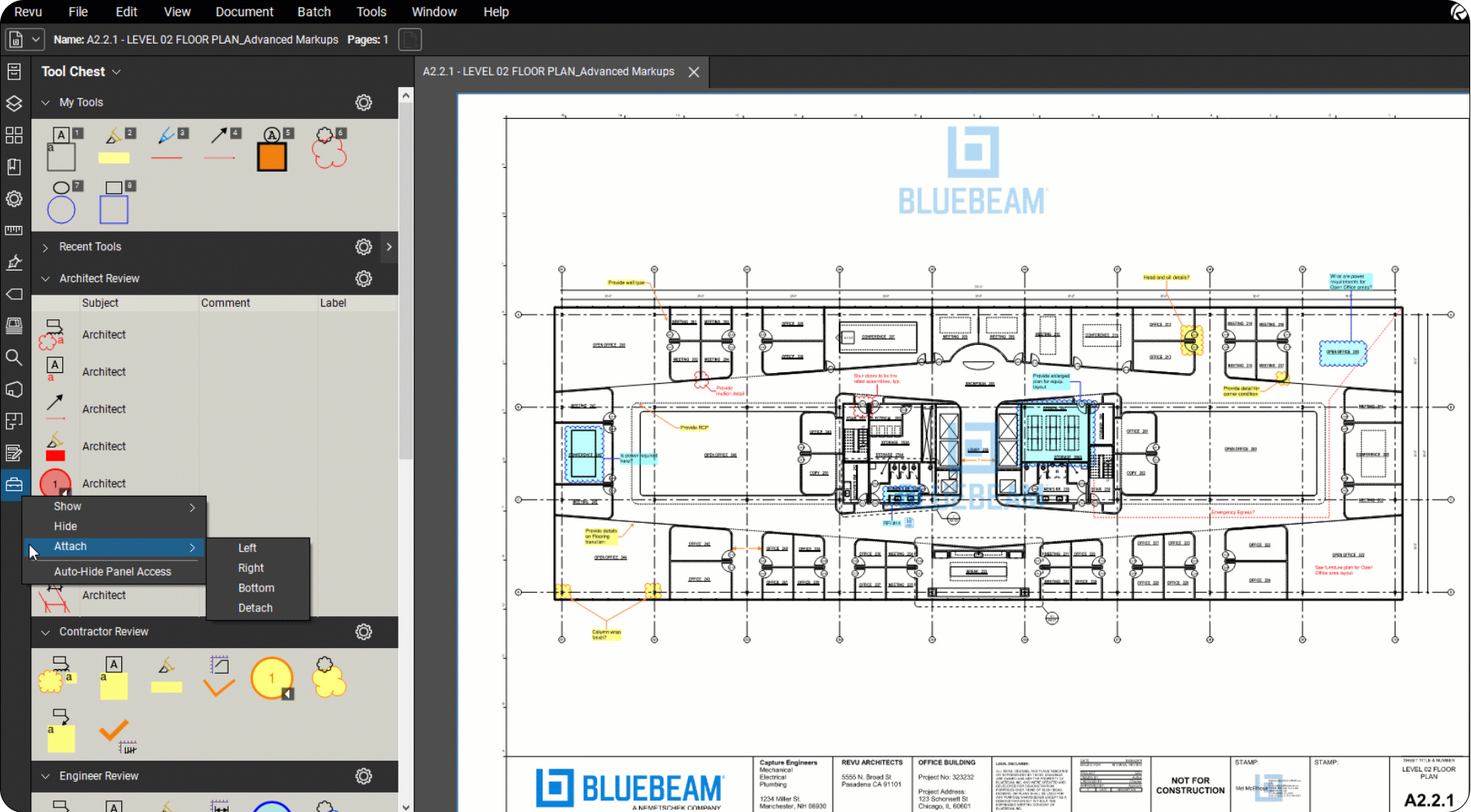
Screenshot of Bluebeam construction takeoff software displaying a floor plan labeled A221 - LEVEL 01 FLOOR PLAN, with annotation and markup tools expanded in the left sidebar. The Bluebeam logo is visible on the plan.

Real-Time Collaboration

Multi-Stakeholder Fire Safety Coordination

Enable simultaneous review and markup by fire engineers, architects, contractors, and building control officers with Bluebeam Studio Sessions, eliminating version control issues.
  • Live collaboration allows fire engineers, architects, and contractors to review plans simultaneously preventing coordination delays
  • Instant stakeholder notifications ensure critical fire safety comments reach the right people immediately
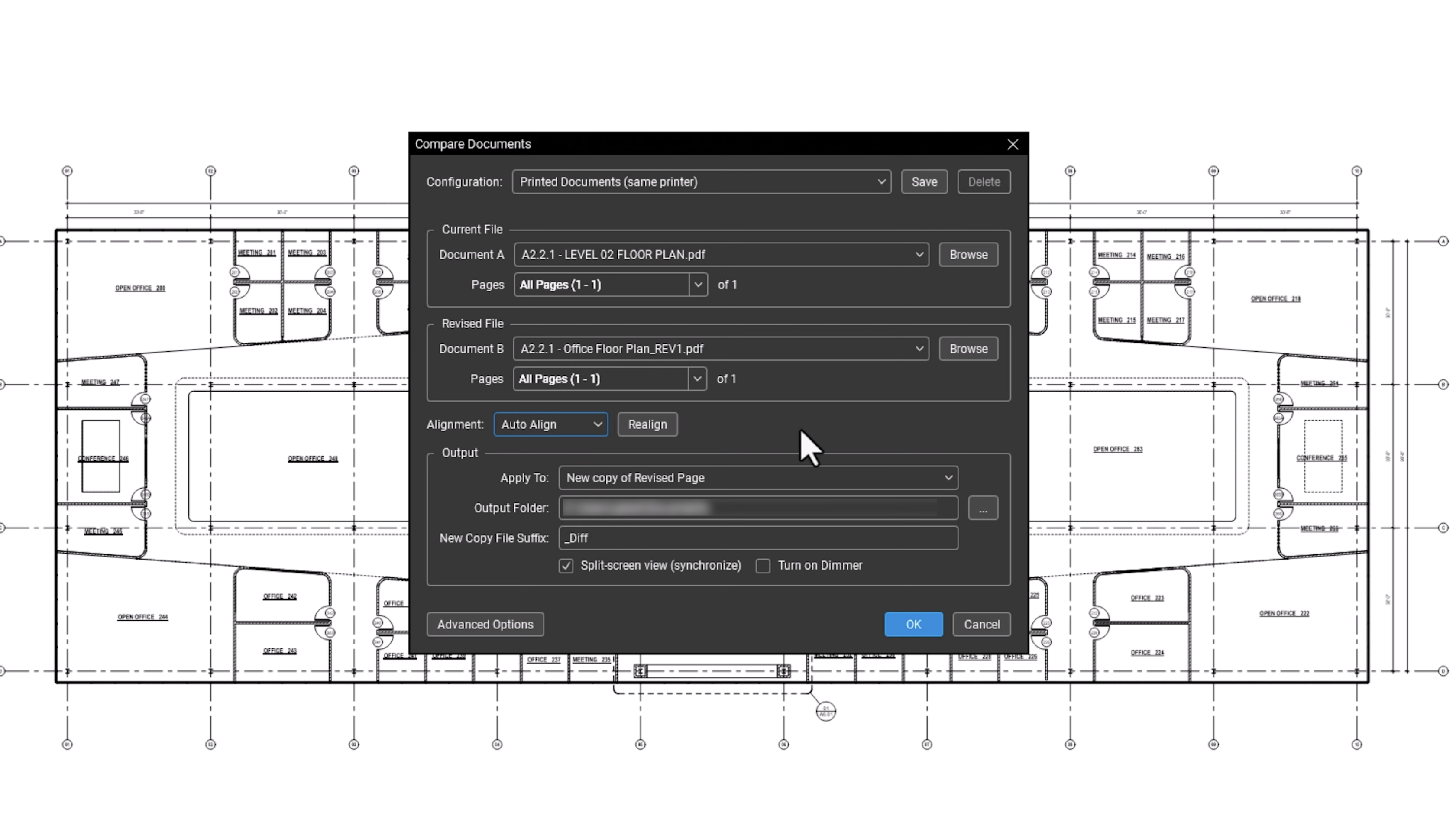
A software dialog box for comparing documents overlays a technical building floor plan. The dialog, ideal for contractor software, offers file selection, page range, alignment, and output profile settings, with OK and Cancel buttons at the bottom.

Drawing Comparison

Efficient Fire Safety Design Reviews

Overlay fire safety drawings to identify design changes, conflicts, and compliance issues using advanced comparison tools, reducing manual review time significantly.
  • Automated overlay detection highlights design changes between drawing revisions in seconds
  • Visual difference highlighting catches critical fire safety modifications that manual reviews often miss
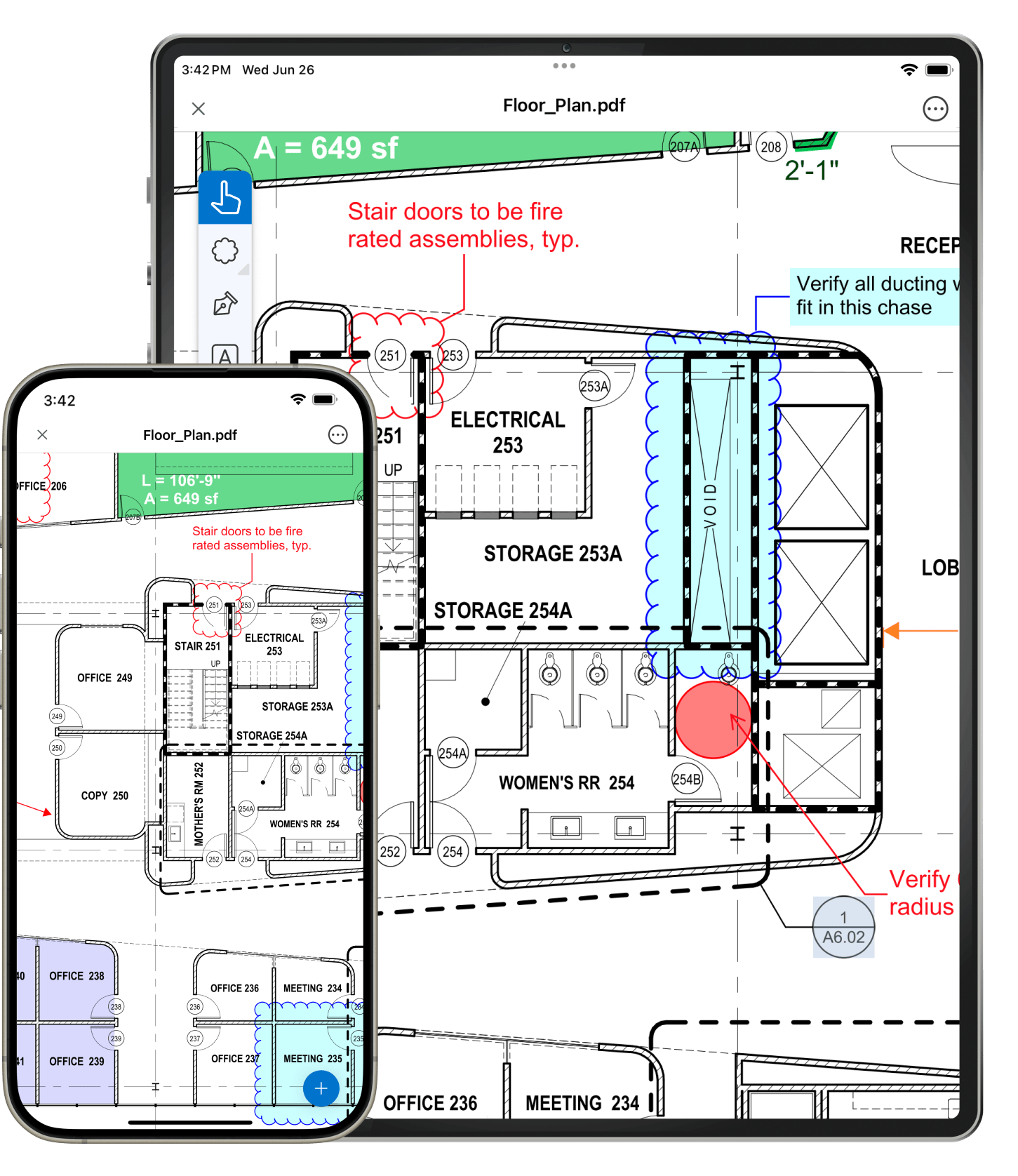
Phone and Tablet

MOBILE INSPECTIONS

Site-Based Fire Safety Verification

Conduct fire safety inspections using mobile devices with offline capabilities, capturing photos, measurements, and compliance notes directly within project documentation.

  • Offline mobile access enables fire safety inspections in buildings without internet connectivity requirements
  • Photo capture and annotation tools document fire safety installations and compliance issues directly on-site

Bluebeam gets better results:

Bluebeam performance stopwatch icon

20% Boost in Team Efficiency

Fire and life safety (FLS) consultants, Design Confidence, reduced review time and improved compliance for large-scale projects with Bluebeam
Illustration of a computer screen displaying a table or spreadsheet with rows and columns, as seen in construction management software. A large pointer or cursor is clicking on one of the rows, which is highlighted in blue.

100% Digital Fire Inspection Workflow

Briab Fire Safety use Bluebeam to complete projects faster and go paperless, with fully digital plan reviews, markup and collaboration workflows
Calendar Icon

40 hours saved per project

Modern Fire Protection transforms documentation and collaboration workflows with Bluebeam

Integrations

Connect Bluebeam to your favorite tools.

Whether you’re using one of our ready-to-use integrations or building your own with Bluebeam Studio APIs, you can connect the applications you rely on for smoother workflows that keep projects moving.

Logos of Applications that integrate with Bluebeam Logos of Applications that integrate with Bluebeam

An industry standard software for over 20 years

See why customer reviews rank us as their top construction software.

Frequently Asked Questions

What is Bluebeam used for?

Do I have access to any learning or training resources during my trial?

Once I’ve completed my free trial, how much does Bluebeam cost?

How long is the Bluebeam free trial? Are there trial extensions available?

What features are available in the free trial version vs. the full subscription version of Bluebeam?

Does Bluebeam offer a discounted license for students or educators?

Try Bluebeam free for 14 days – no credit card required.