






Construction Quantity Survey & Estimating Software 

Build more winning bids. 

Enhance your construction quantity survey and estimating process with Bluebeam’s intuitive PDF markup and measurement tools. Streamline workflows, improve accuracy and create winning bids.

What is Bluebeam?

Try it free for 14 days – no credit card required.

Server Region:

By clicking ‘Try It Free’, you agree to the Terms of Use and Privacy Policy.

Trusted by over 4 million AECO professionals worldwide

Bluebeam customer AECOM logo Bluebeam customer CannonDesign logo Bluebeam customer Skanska logo Bluebeam customer STRABAG logo Bluebeam customer Perkins & Will logo Bluebeam customer Arup logo The word ROSSETTI is written in bold, uppercase black letters on a light gray background, echoing the precision and clarity essential in top-tier construction estimating software. Turner-v3 Bluebeam customer AECOM logo Bluebeam customer CannonDesign logo Bluebeam customer Skanska logo Bluebeam customer STRABAG logo Bluebeam customer Perkins & Will logo Bluebeam customer Arup logo The word ROSSETTI is written in bold, uppercase black letters on a light gray background, echoing the precision and clarity essential in top-tier construction estimating software. Turner-v3 Bluebeam customer AECOM logo Bluebeam customer CannonDesign logo Bluebeam customer Skanska logo Bluebeam customer STRABAG logo Bluebeam customer Perkins & Will logo Bluebeam customer Arup logo The word ROSSETTI is written in bold, uppercase black letters on a light gray background, echoing the precision and clarity essential in top-tier construction estimating software. Turner-v3
Four construction workers in safety gear stand at a building site, observing the steel framework. Two blue icons, a cloud and a document with a sun, highlight the use of construction management software on site.

Discover your project’s true scope

Create, mark up and measure 2D and 3D PDFs with dynamic tools designed for AEC projects. Standardise communication across teams and projects with custom tool sets, and export material quantities to Excel or your preferred construction bidding software for easy estimations.

Keep teams on the same page

Centralise your project documents and drawings in the cloud for easier construction document management – so teams can securely mark up and measure together at the same time from anywhere.

A person in a high-visibility jacket uses a tablet displaying architectural plans—likely with construction management software—against a cityscape backdrop. An inset photo of a smiling man and a blue graph icon are also present.

Reduce errors and rework

  1. Capture a project’s true scope with dynamic measurement tools purpose-built for contractors in all specialist trades.

  2. Take quick, precise measurements and track running totals as you draw. Then display measurements directly on the drawing itself to communicate important info faster.

  3. Mark up and measure together at the same time using custom, shareable, scalable tool sets, and export quantity survey data to Excel.
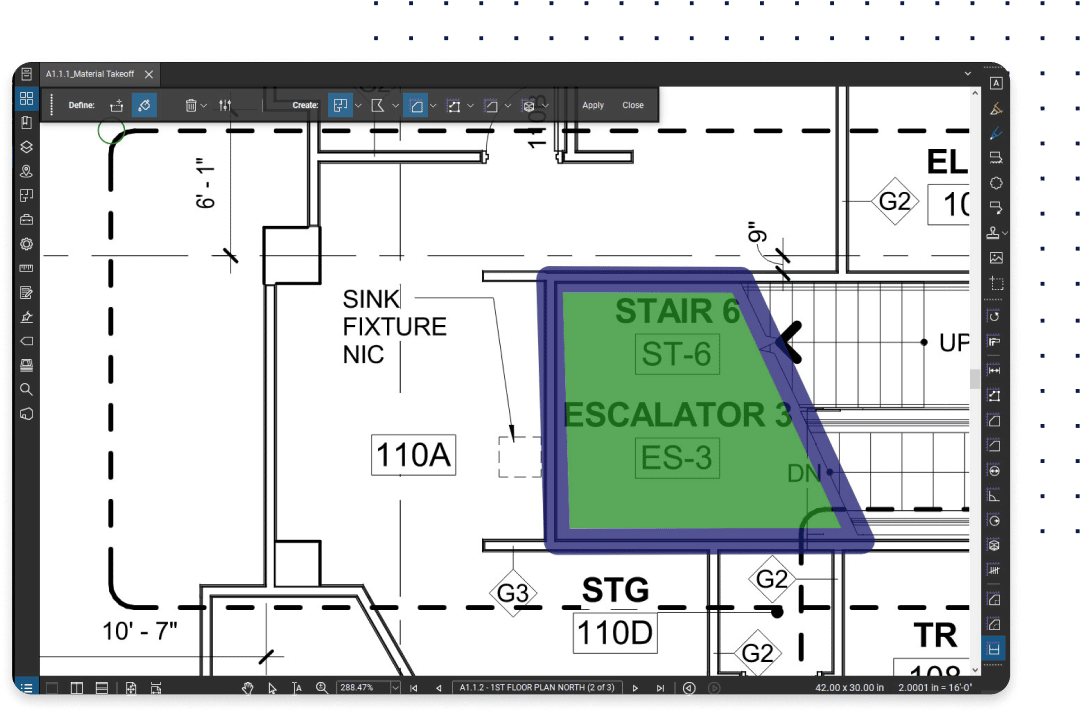
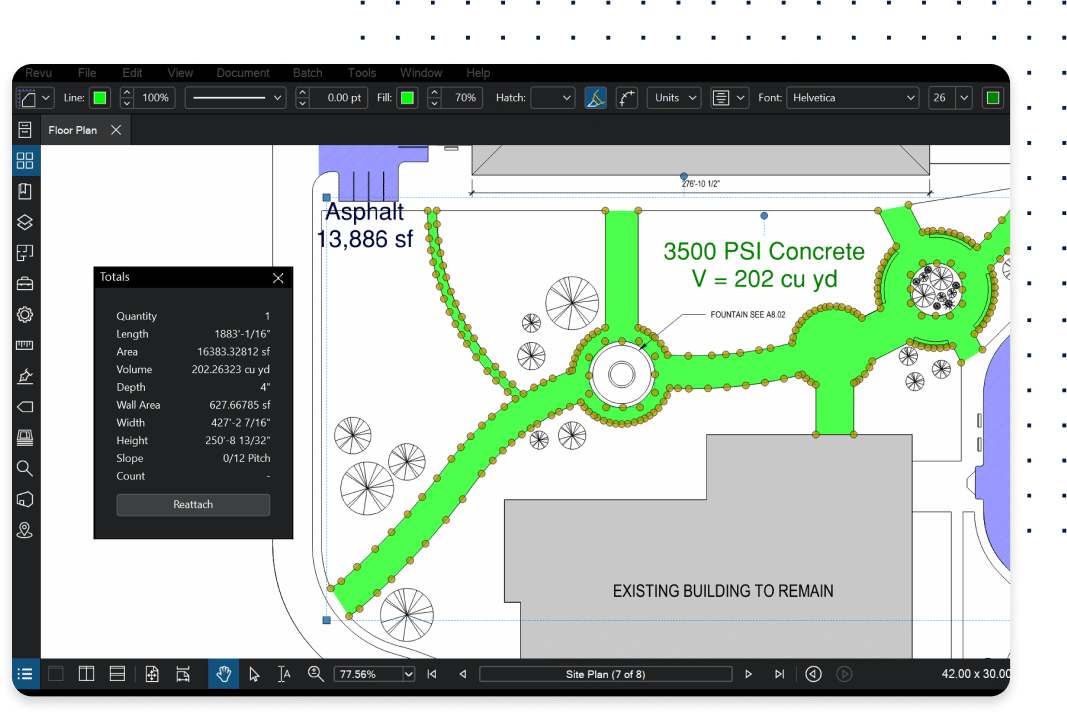
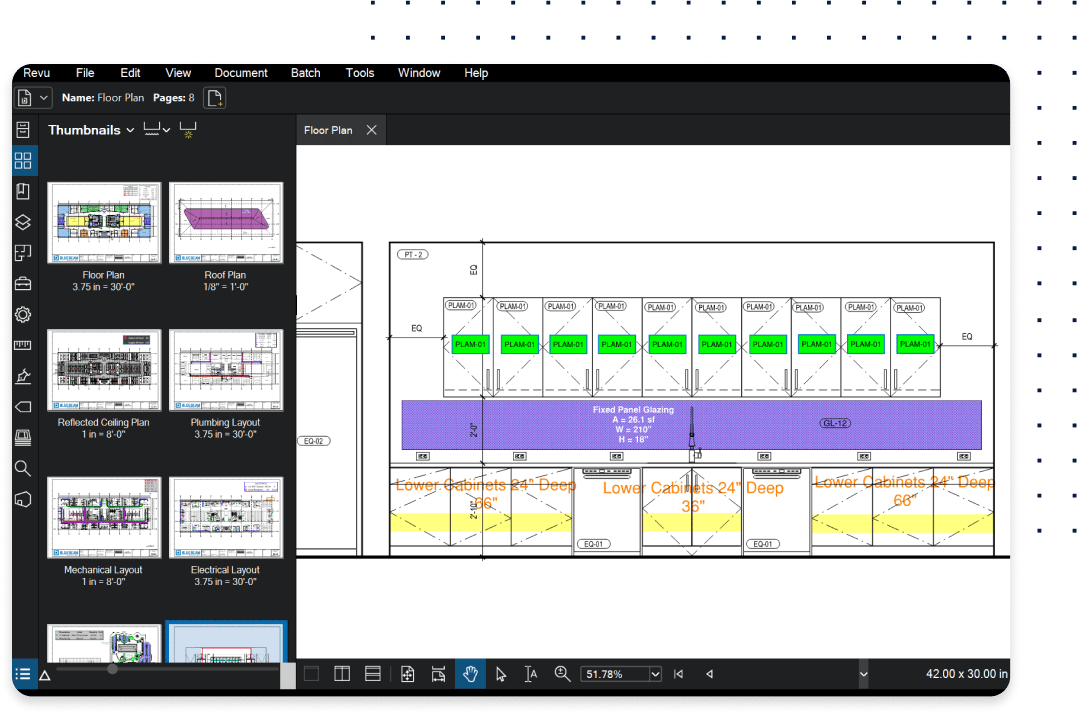
Quantity Surveys and Estimation in Revu software Quantity Surveys and Estimation with precise measurements in Revu software Quantity Surveys and Estimation custom tool sets in Revu software

All the tools you need to finish the job faster

Enhance quantity surveys and estimation with Bluebeam

Bluebeam’s quantity survey and estimating software tools offer several advantages for construction professionals:

A woman in a green safety vest looks down and uses a stylus on a tablet displaying construction management software floor plans, with blueprints spread out on the table in front of her.
  • Precision: Measure lengths, areas and volumes accurately with customisable tools.

  • Efficiency: Automate repetitive tasks and export data directly to Excel.

  • Collaboration: Share marked-up PDFs with team members in real time.

  • Flexibility: Customise measurement tools to match specific project requirements.

  • Visualisation: Colour-code and label quantity surveys for clarity and organisation.

  • Bluebeam’s intuitive interface ensures that even complex quantity surveys can be performed quickly and accurately, giving you a competitive edge in bidding.

An industry standard software for over 20 years

See why customer reviews rank us as their top construction software.

You’re in good company

Bluebeam empowers teams to collaborate more efficiently, profitably and securely.

A person wearing a yellow safety vest labeled Solid Earth, Inc. sits at a desk, talking on the phone and looking at a laptop, likely using contractor software. The words Solid Earth are displayed prominently over the image.

3x more bids

Solid Earth civil contractors tripled their bid submission capabilities using Bluebeam.

Two construction professionals in safety gear and masks discuss plans at a building site, highlighting the use of construction management software. The text Márkus Engineering appears over the architectural background.

5x faster estimations

Civil engineering firm Márkus Engineering used Revu to exponentially increase quantity survey speed and accuracy.

Two construction workers in reflective jackets and helmets walk through a large, partially built structure with metal beams and wet floors. The word “ClearTech” is centered, highlighting leading construction collaboration software.

50% more projects won

Specialist engineering contractor ClearTech won 50% more projects after digitising estimations with Bluebeam.

Integrations

Connect Bluebeam to your favourite tools.

Whether you’re using one of our ready-to-use integrations or building your own with Bluebeam Studio APIs, you can connect the applications you rely on for smoother workflows that keep projects moving.


Row of Bluebeam integration icons Row of Bluebeam integration icons
Try It for Free

Frequently Asked Questions

What is estimating & quantity survey software?

What kind of software do contractors use for quantity surveys?

What are the benefits of using construction software for quantity survey management?

Try Bluebeam free for 14 days – no credit card required.